SEO settings (search & share visibility)
A site's SEO tab holds the site-wide settings, split into two sections in a menu on the left: Crawlers and Google. Each section is a card with status badges at the top and its own Save button. The open section is kept in the page address, so a reload or a shared link lands on the same section.
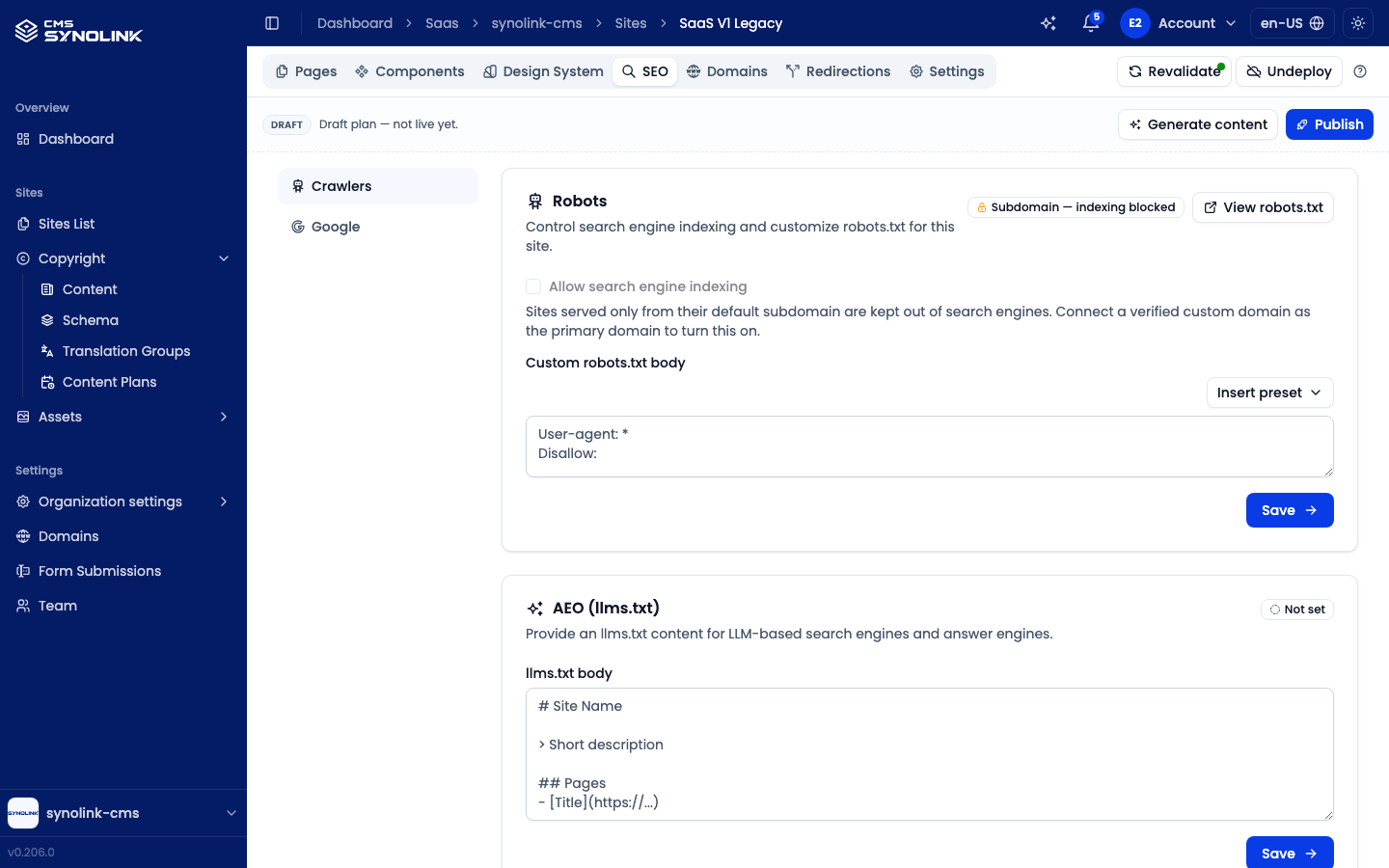
| Section | What you set |
|---|---|
| Crawlers → Robots | Allow search engine indexing, and a Custom robots.txt body. Insert preset adds a ready-made block — Block AI crawlers or Allow search engines only |
| Crawlers → AEO (llms.txt) | An llms.txt body for LLM-based search engines and answer engines |
Google Tag Manager Container ID (GTM-…), Google Analytics Measurement ID (G-…), and the Google Search Console Verification Code (the content value of the verification meta tag) |
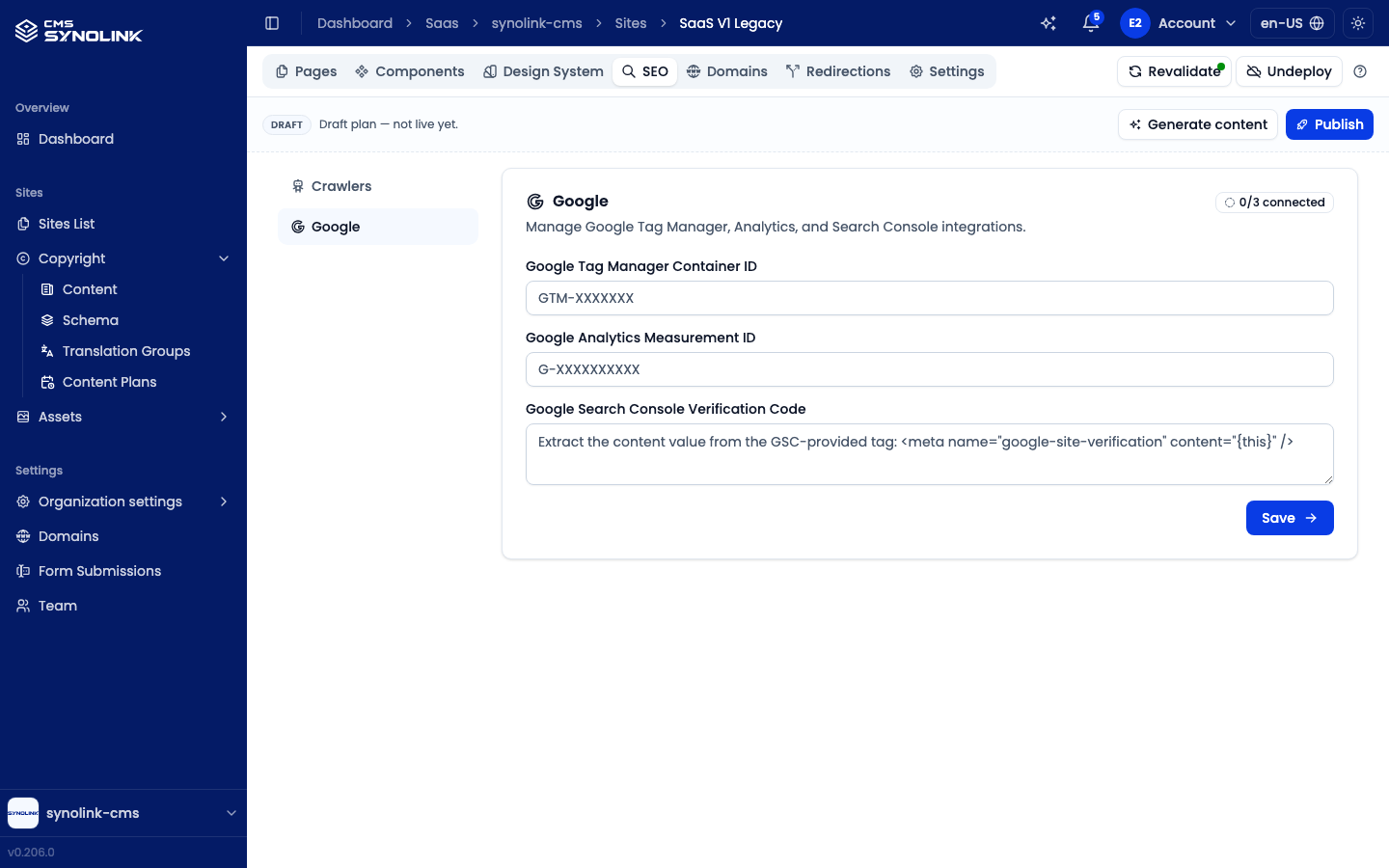
The status badges show what is in effect at a glance:
| Badge | Meaning |
|---|---|
| Indexing allowed / Indexing blocked | Whether search engines may index the site |
| Subdomain — indexing blocked | Indexing is locked off (see below) |
| Custom robots.txt | A custom robots.txt body is in use |
| Serving llms.txt / Not set | Whether an llms.txt body is saved |
| 0/3 connected … 3/3 connected | How many of the three Google IDs are filled in |
Once the site is deployed, View robots.txt opens the live /robots.txt, and View llms.txt opens the live /llms.txt when an llms.txt body is saved — handy for checking what crawlers actually see.
Search engine indexing on the default subdomain
Allow search engine indexing is locked off — the checkbox is greyed out and the badge reads Subdomain — indexing blocked — while the site's primary domain is its default *.synolink.app subdomain, or a custom domain that hasn't been verified yet. Deploying a site also turns the setting off. This keeps the temporary address out of search results so your site is indexed under your own domain. While indexing is off, every page tells search engines not to index it, and a custom robots.txt body is not served.
To turn indexing on:
- Connect your custom domain in the Domains tab (under More) and Verify it (see Connecting a domain).
- Make it the primary domain with Make this the primary domain (star icon).
- Back in SEO → Crawlers, check Allow search engine indexing and click Save. The setting stays off until you save it.
Per-page SEO — title, description, share image (OpenGraph/Twitter), canonical URL, robots/no-index and JSON-LD structured data — is set in the page editor's right-hand Metadata panel (Page SEO), which also shows a search preview. See Editor Screen Tour.
Map location — your organization's location for embedded Google Maps — is set in Organization settings → Location (see Organization Settings).
Writing good titles and descriptions improves how you appear in search results.
Publishing (deploying) a site
To make your site reachable by visitors, deploy it with the Deploy button in the site's header (top right of the site's tabs).
- Click Deploy. The Deploy this site? dialog opens.
- Check the initial Subdomain — a suggestion is filled in, and you can change it. The dialog checks it as you type and shows whether the hostname is available or already taken. (You can add more domains afterwards from the Domains tab (under More).)
- Click Deploy. The header button then shows the rollout progress — Provisioning DNS... → Starting pod... → Issuing certificate... — and hovering it explains each wait. If the deployment fails, the button becomes Retry deploy.
- When the site is live, the button turns into Revalidate.
If the site was built from a draft plan, Publish the plan first (see Creating a Site) so its pages have content — otherwise you deploy empty pages.
Revalidating pages
After a site is live, most edits reach visitors right away because the editor's Revalidate on save switch refreshes the saved page on save. If a change still isn't showing — or you changed something outside the editor, such as a URL path — click Revalidate in the site header to open Revalidate pages:
- Pages — Full site (all pages), or search and select individual pages (All pages selects them all).
- Locale — All locales or one locale.
- Also refresh the sitemap (use when a URL path changed).
- Click Revalidate. The next visit serves the updated content.
Undeploying a site
To take a site offline without deleting it, click Undeploy in the site header, next to Revalidate (or next to the rollout progress while a deployment is still in progress).
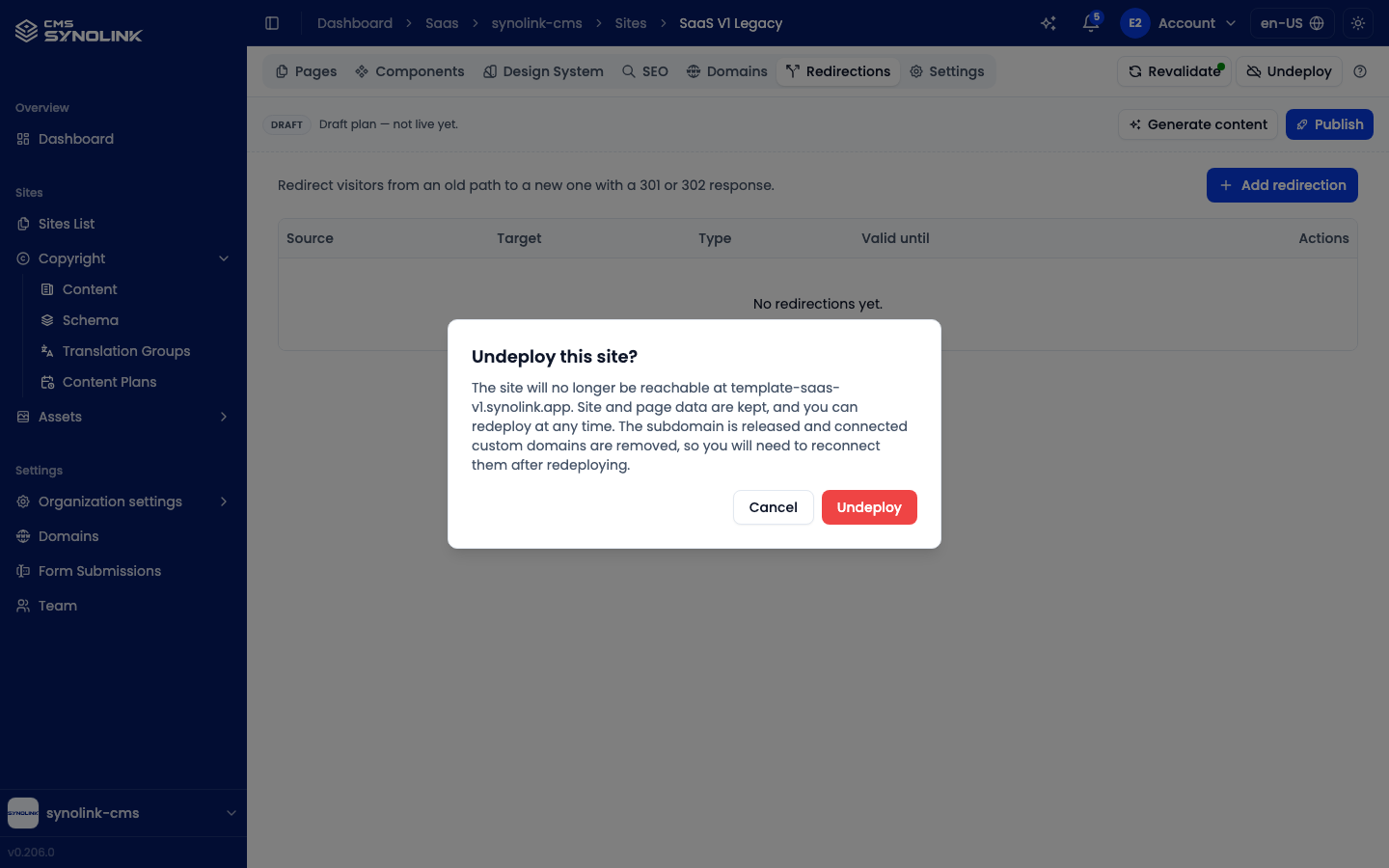
- Click Undeploy. The Undeploy this site? dialog opens.
- Read what happens: the site is no longer reachable at its address, but the site and page data are kept. The subdomain is released, and connected custom domains are removed.
- Click Undeploy to confirm (or Cancel).
Once it finishes, the header shows Deploy again and the Domains tab (under More) is disabled until the next deployment.
To bring the site back, click Deploy and choose a subdomain as in Publishing (deploying) a site — the released subdomain can be picked again if it's still free. Then reconnect and verify your custom domains in the Domains tab (under More), and turn search engine indexing back on (see Search engine indexing on the default subdomain).
Undeploy only takes the site offline. Delete in the sites list's ⋯ menu removes the site permanently.
Checking deployment status (Infrastructure)
To check that a deployed site is running properly, open Infrastructure. It's shown to Admin and above only.
- Site → Infrastructure tab (under More) — the deployment status of this site.
- Settings → Infrastructure — every site in the workspace on one screen. Cards at the top count Sites deployed, Healthy sites, Pods ready and Container restarts, followed by a card per site.
Each site card shows a status badge (Healthy, Deploying, Needs attention or Failing), its Domains, the Last sync time, the running Pods (how many are ready, and restarts), and an expandable Deploy history. The view refreshes on its own; click Refresh in the bar at the top to reload it now. A site that hasn't been deployed yet shows This site has not been deployed yet.
Right after a deploy the site may show Deploying for a little while. If Needs attention or Failing persists, try Revalidate or deploying again, and contact support if it doesn't clear.
Connecting a domain
To publish on your organization's domain (e.g. www.example.com), connect a domain in the site's Domains tab (under More). The tab is disabled until the site has been deployed (Deploy this site first to manage domains).
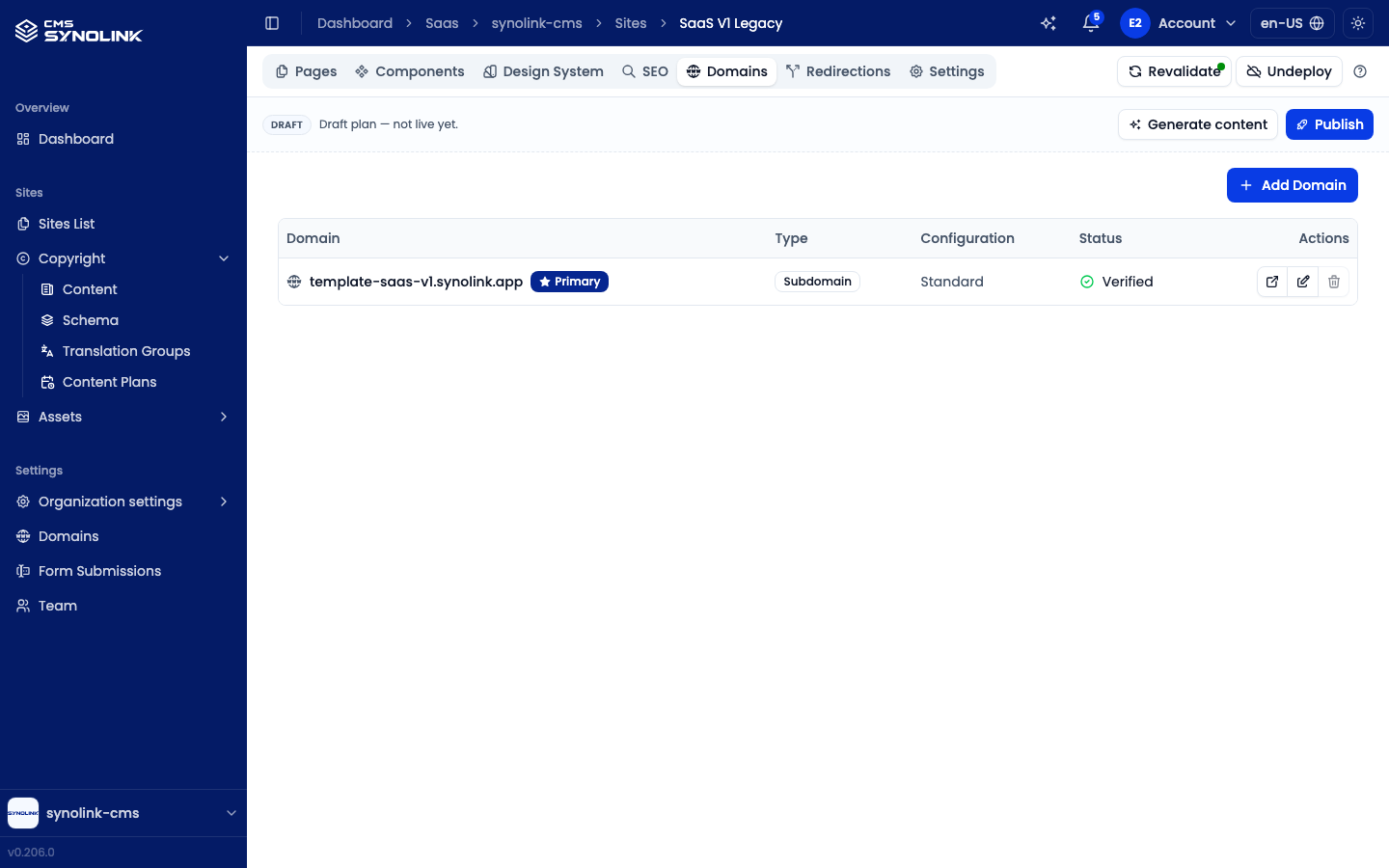
- Add Domain opens Add New Domain with two tabs: Subdomain (enter a Subdomain Name; availability is checked as you type) and Custom Domain (enter your Domain Name, e.g.
example.com). - The table lists each domain's Type, Configuration (Standard, or the redirect it applies), and Status (Verified, Pending or Failed).
- Verify (on a pending domain) opens Verify Domain Ownership: add all of the listed DNS records at your domain provider — the TXT record proves you own the domain — then click Check Verification. If it fails, the dialog shows the expected and observed values.
- The edit icon configures the domain. Turn on Redirect to Another Domain to forward requests, and choose the Redirect Destination and Status Code (301, 302, 307 or 308).
- Make this the primary domain (star icon) promotes a verified domain to primary, which also removes any redirect it had. The primary domain is marked Primary.
- The delete icon removes a domain.
Settings → Domains in the left menu is a read-only overview: it lists each deployed site with its Primary domain and Total domains, and Open takes you to that site's Domains tab.
If DNS configuration is required, follow the instructions, or ask your administrator if it's difficult.
Redirections
Use a site's Redirections tab (under More) to redirect visitors from an old path to a new one with a 301 or 302 response — for example, after renaming or removing a page.
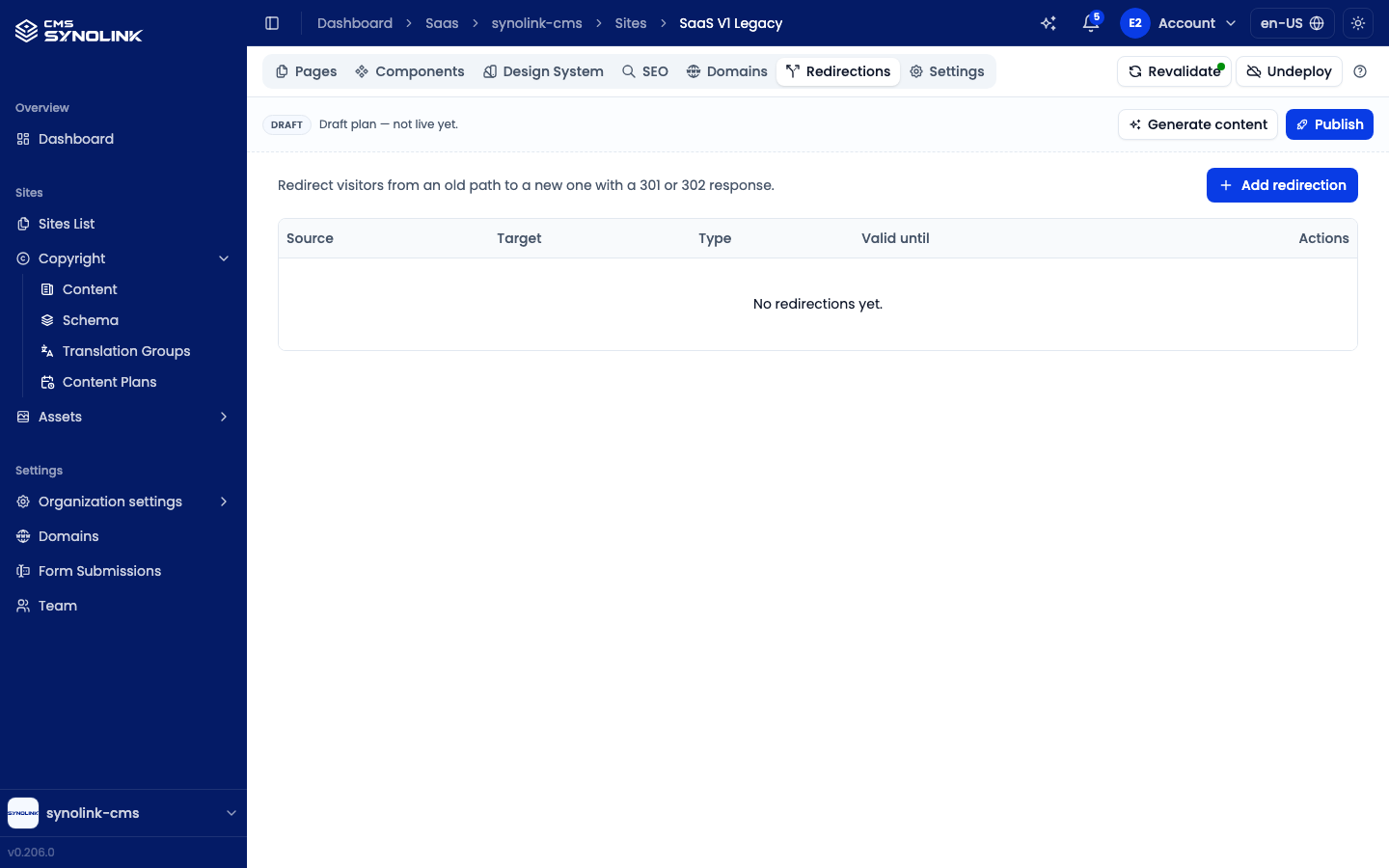
- Click Add redirection.
- Set the Source path (the old path) and the Target path (where visitors land). You can search the site's pages or type a path. Both paths must start with a slash (e.g.
/old-path); the site root (/) can't be used. - Choose the Redirect type — 301 Permanent or 302 Temporary.
- Optionally set Valid until; leave it empty to never expire.
- Save. Use the row's edit and delete buttons to change or remove a redirection later.
Publishing flow summary
Edit pages → (draft site) Publish the plan → Check SEO → Deploy → Connect & verify domain → Allow indexing → Live
After that: edit and save in the editor (with Revalidate on save), and use Revalidate in the site header when a change doesn't show.