Manage your organization's basic information under Organization settings in the sidebar. The items you register here are reused throughout your site (map blocks, contact pages, AI-written content, etc.).
Already set up during onboarding. Most of these basics — organization name, default language, location, logo and brand colors — are created in the initial Onboarding flow when your workspace is first set up. This page is where you review and update them afterward. See Onboarding Setup for the initial setup.
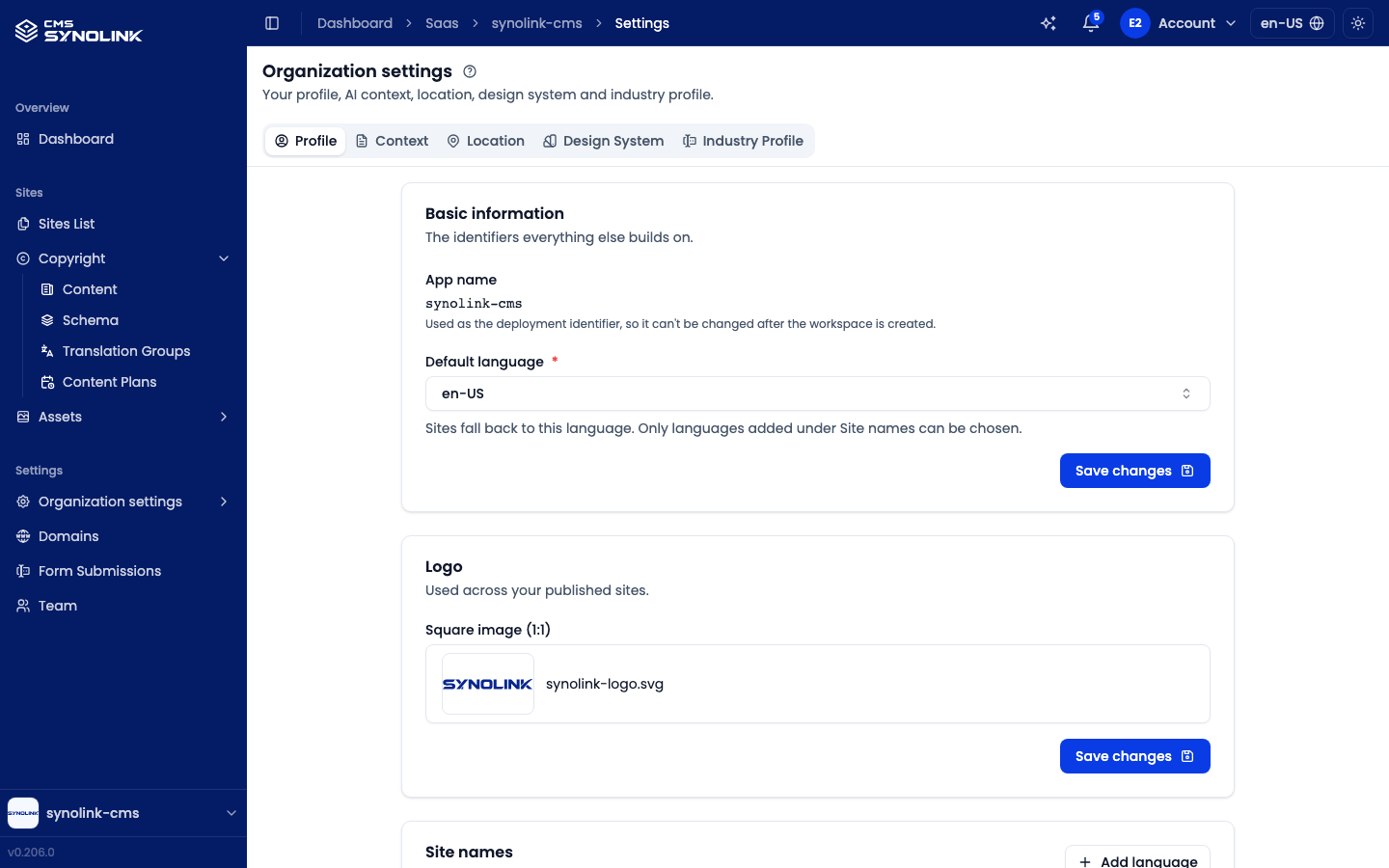
Settings tabs
The settings screen is split into five tabs across the top:
| Tab | Contents |
|---|---|
| Profile | Basic information (app name, default language), logo, site names per language, and business information — each picked from the menu on the left of the tab |
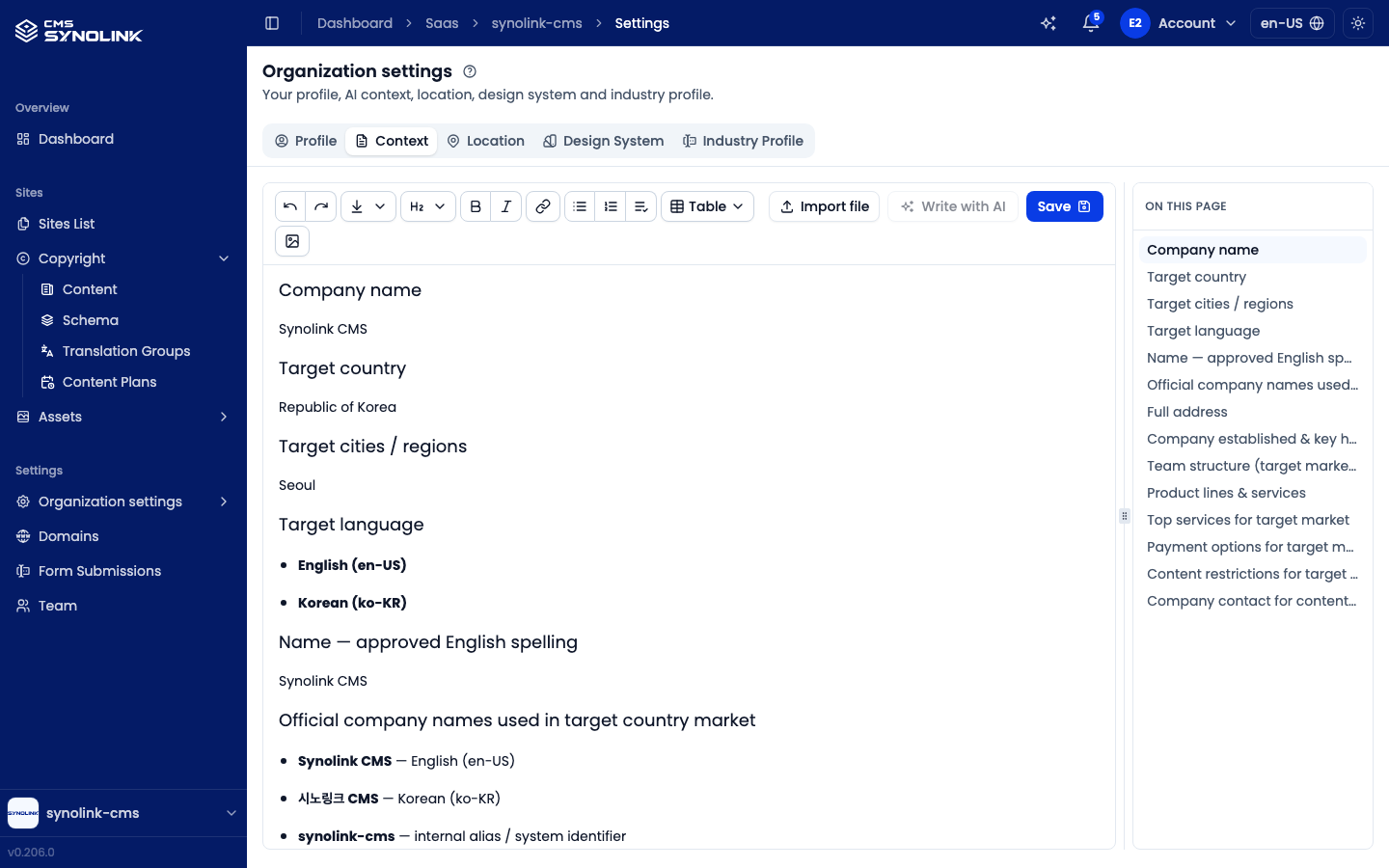
| Context | The markdown document describing your organization that the AI builds pages and writes content from |
| Location | Your address in each language, plus one map location shared by all languages |
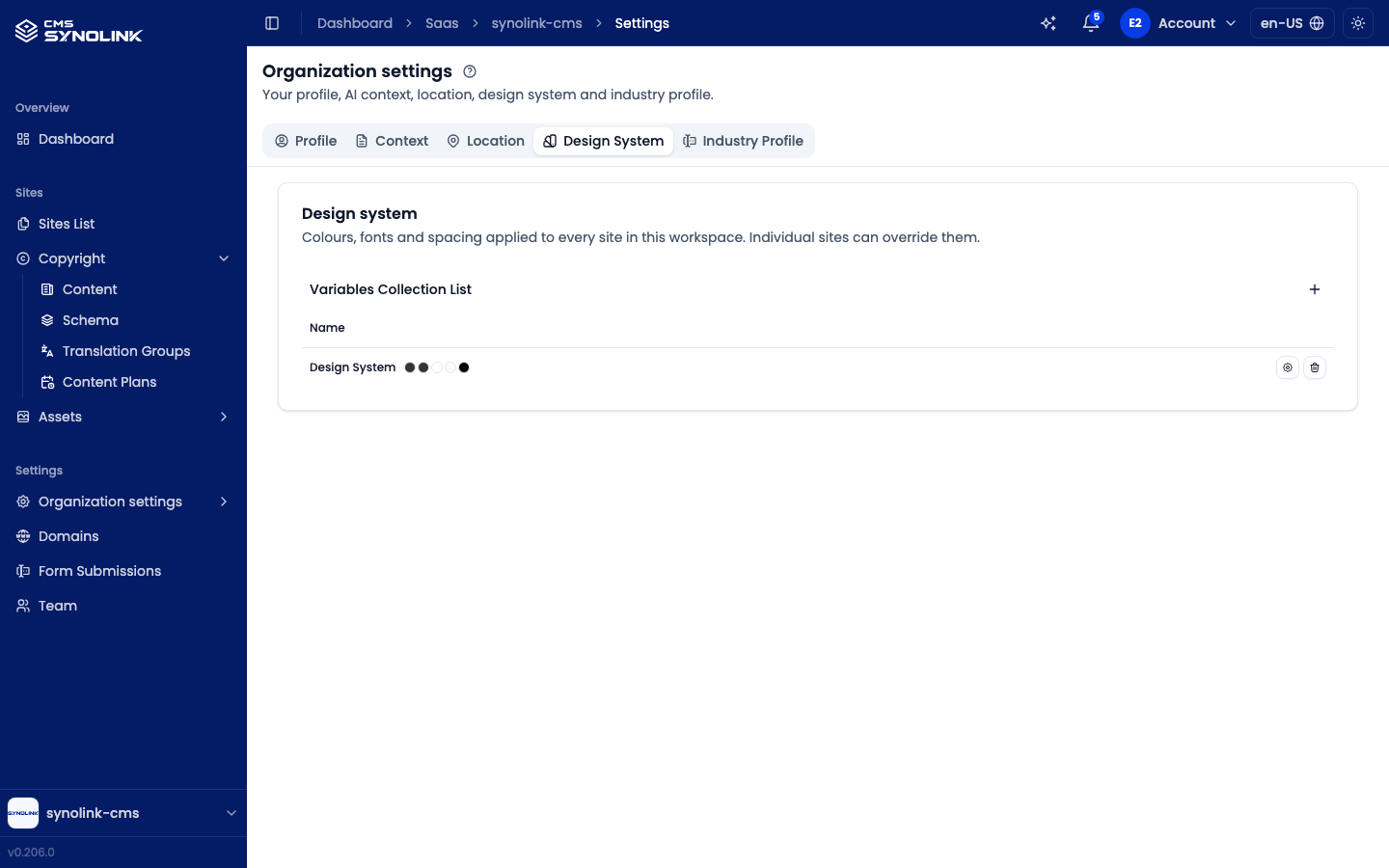
| Design System | Colours, fonts and spacing applied to every site (see Design System & Components) |
| Industry Profile | The structured profile of your business (domain schema) that guides AI content |
The App name under Basic information is the deployment identifier and cannot be changed after the workspace is created.
Recommended order
For a new organization, we recommend filling these in this order:
- Profile → Site names — Add every language you publish in, with your organization's name in it
- Profile → Basic information — Pick the default language (only languages added above can be chosen)
- Location — Register your address and map pin
- Industry Profile — Fill in the profile so AI content matches your business
Languages (locales)
When you run additional languages beyond the default, you can offer articles, pages, and the organization name per language. The language settings drive content translation (including AI translation).
Context
The Context tab holds your organization's context document — one markdown document describing who you are, what you offer, and how you talk to your customers. The AI reads it when it builds pages and writes content for you, so the more accurate it is, the more the results sound like your organization. It's the same document you wrote on the Complete your setup screen after onboarding. See Context for editing it, importing a file, and writing it with AI.
Location
Open the Location tab to manage where your organization is.
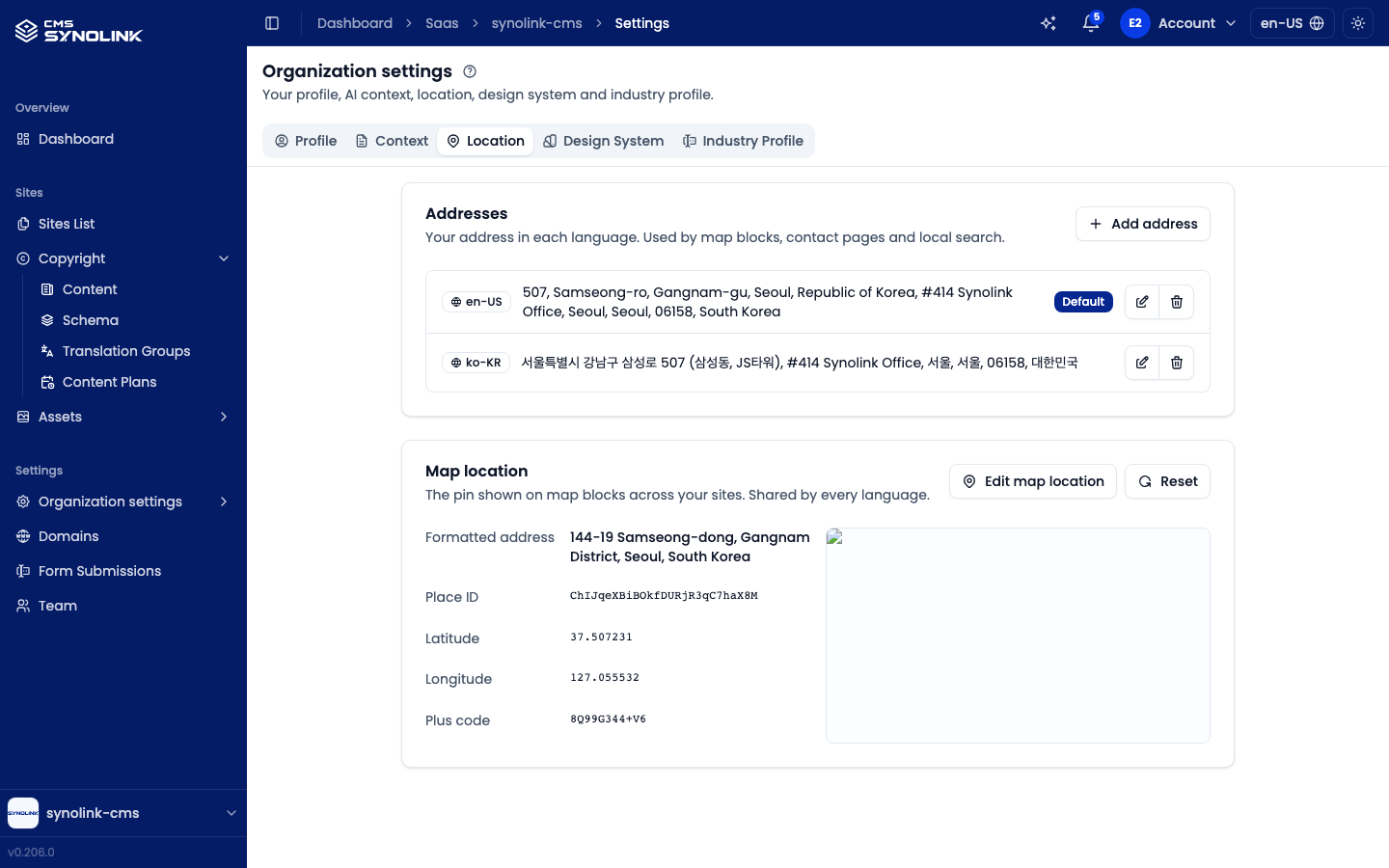
- Addresses — your address in each language, used by map blocks, contact pages and local search. Click Add address to add one for another language (the default-language address is prefilled as a starting point); use the edit and delete icons on each row to change or remove it. The default-language address is marked Default.
- Map location — the pin shown on map blocks across your sites. There is one map location shared by every language. Click Edit map location to search for your place on Google Maps; the section then shows its formatted address, Place ID, latitude/longitude and Plus code. Reset clears the pin, and map embeds fall back to the street address.
Design System
The Design System tab holds the colours, fonts and spacing applied to every site in this workspace. Individual sites can override them. Collections are listed under Variables Collection List — use + to add one, or the icons on a row to edit or delete it. See Design System & Components for details.
Industry Profile
The Industry Profile tab is a structured profile of your business (domain schema). It guides AI when it writes content.
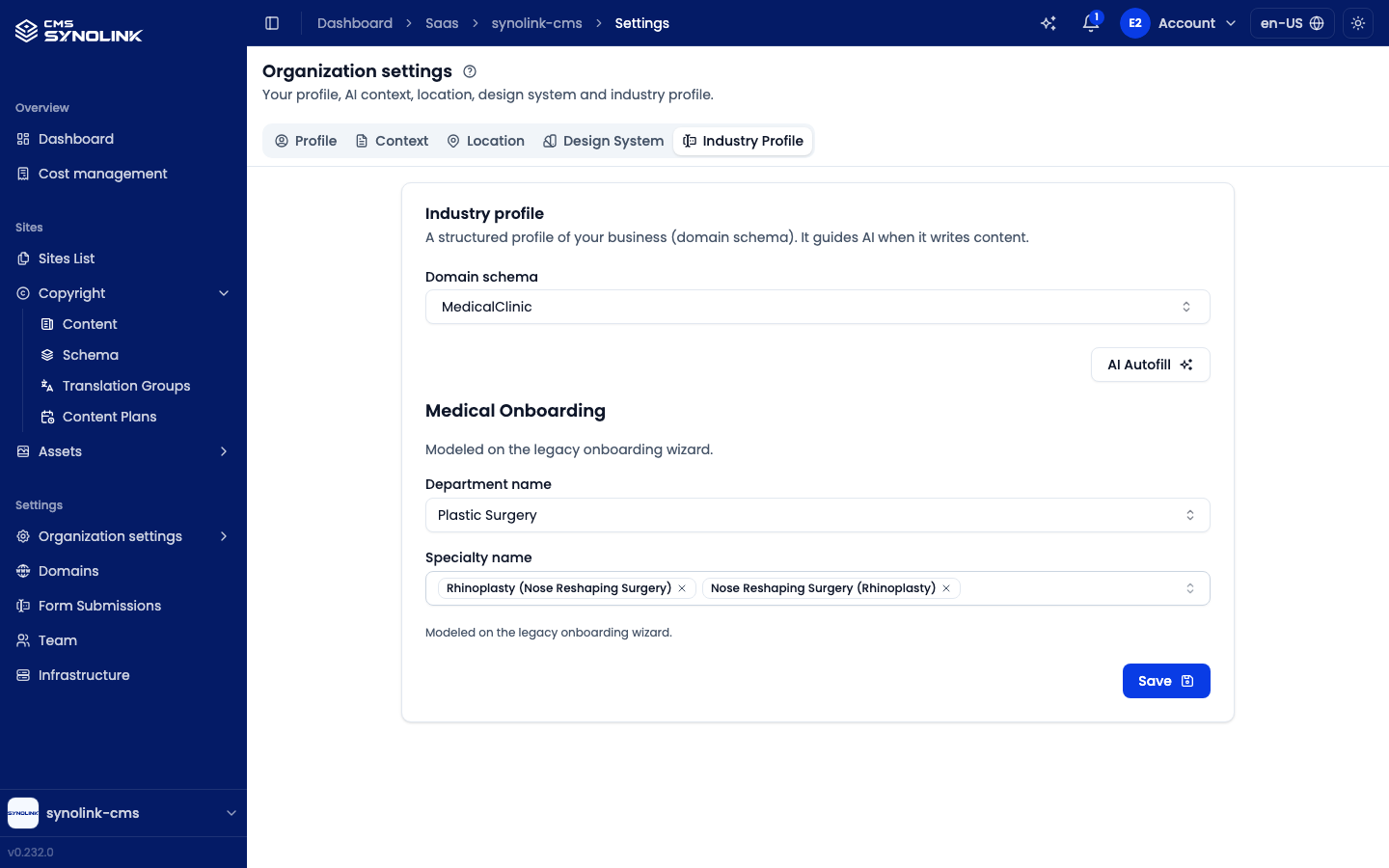
Choose your Domain schema from the dropdown, fill in the fields that schema asks for, and click Save.
Click AI Autofill to have AI read your workspace's Context and fill in the empty fields. Values you've already entered are left alone, and nothing is kept until you review the result and click Save. Without a Context, you're asked to write one first.