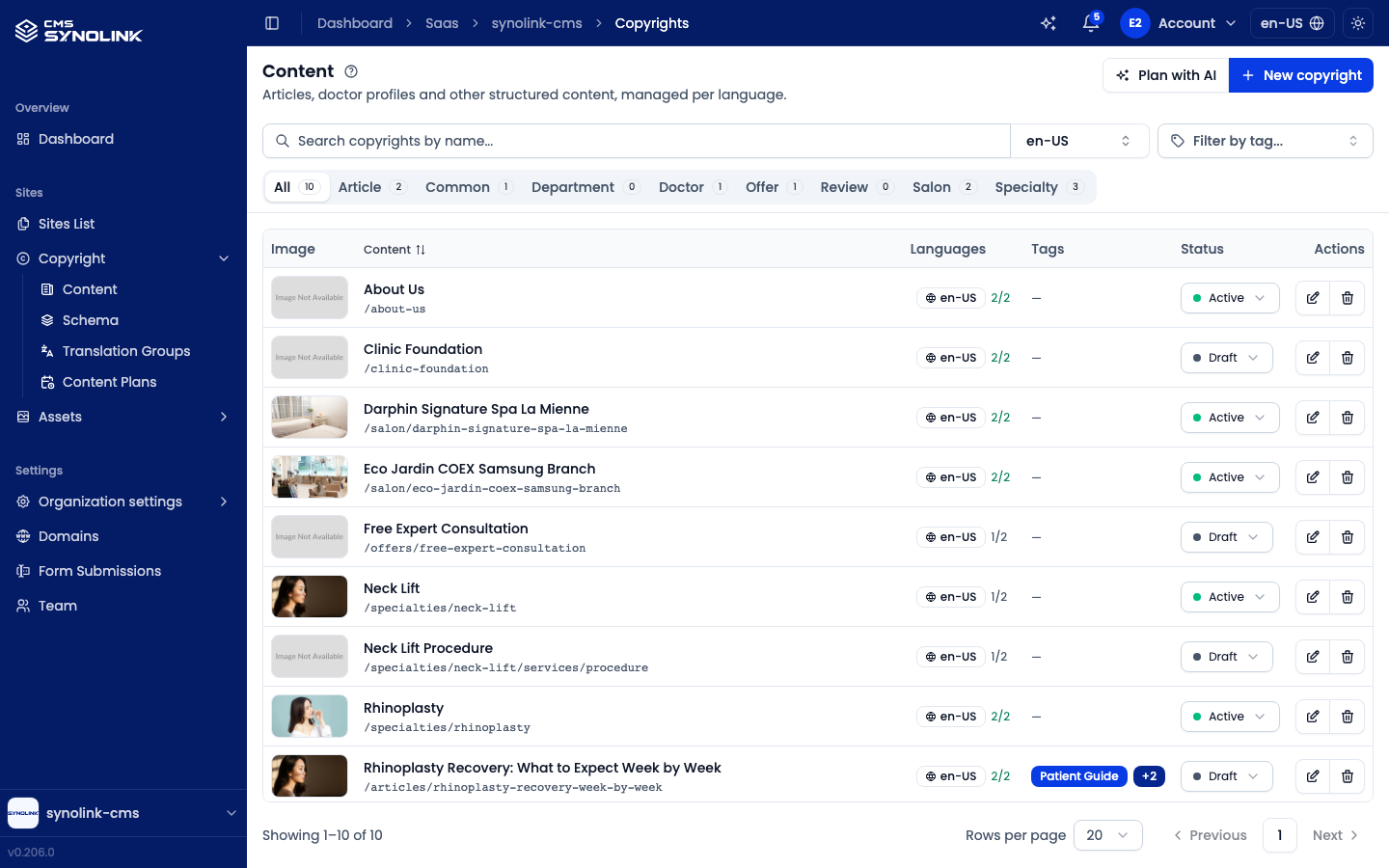
Manage your written content from Sites → Copyright → Content in the left sidebar. Each item on the Content screen (called a copyright in some buttons and dialogs) is one piece of content — an article, a product page, a team member's profile, and so on — managed per language. The list shows each item's image, name and URL path, languages, tags, and status.
What decides an item's type? Every item has a Type, which is one of your workspace's copyright schemas (for example Article, Common, or Profile). Profiles, offers, reviews, and the like are all regular content items whose type is the matching schema. If your workspace's industry profile provides a ready-made schema, you can bring it in with Import from global on the Schema page (see below).
The Copyright menu has four pages:
| Menu | What it's for |
|---|---|
| Content | The content list and editor (this guide) |
| Schema | The content types and the fields (arguments) each one has |
| Translation Groups | The groups that link language versions of the same item |
| Content Plans | Planned entries the AI drafts for you, each waiting for your approval |
The content list
The header and toolbar stay pinned at the top while the list scrolls:
| Control | What it does |
|---|---|
| Plan with AI | Open the AI content planner (see Plan with AI below) — top right of the header |
| New copyright | Create a new content item — top right of the header |
| Search copyrights by name… | Filter the list by name |
| Locale selector | Switch which language version of the list you're viewing (e.g. en-US) |
| Filter by tag… | Narrow the list to one or more tags. The button shows the first selected tag plus a +N count |
On a tablet or phone the toolbar stays on one line: Plan with AI and New copyright shrink to icon buttons, and the tag filter shrinks to a tag icon with the number of selected tags.
Type tabs
The tabs under the toolbar are built from your workspace's schemas: All, plus one tab per schema (for example Article, Common, Profile). Each tab shows how many items of that type exist in the current locale. The tabs differ from workspace to workspace because each workspace defines its own schemas.
List columns
| Column | What it shows |
|---|---|
| Image | Thumbnail (banner or image asset) |
| Content | Name and URL path (e.g. /about-us) — click the header to sort by name |
| Languages | The item's locale and a {translated}/{total} count — click it to open the Translations popover |
| Tags | Tags assigned to the item, on one line — tags that don't fit collapse into a +N chip; hover it to see the rest |
| Status | The item's status — Draft, Active, or Archived — as a dropdown you can change in place |
| Actions | Edit (✎) and Delete (🗑) |
Status
Pick a new value in the Status dropdown and it's saved right away (no separate save step). The same dropdown sits at the top of the detail screen.
| Status | Meaning |
|---|---|
| Draft | Work in progress — not shown on the public site |
| Active | Live — shown on the public site |
| Archived | Retired — no longer shown on the public site, but kept in the list |
Changing the status needs edit permission (copyrights:write).
Pagination
Below the table, Showing {from}–{to} of {total} tells you where you are. Use Rows per page to show 10, 20 (default), or 50 items, and the page numbers or arrows to move between pages.
Creating a content item
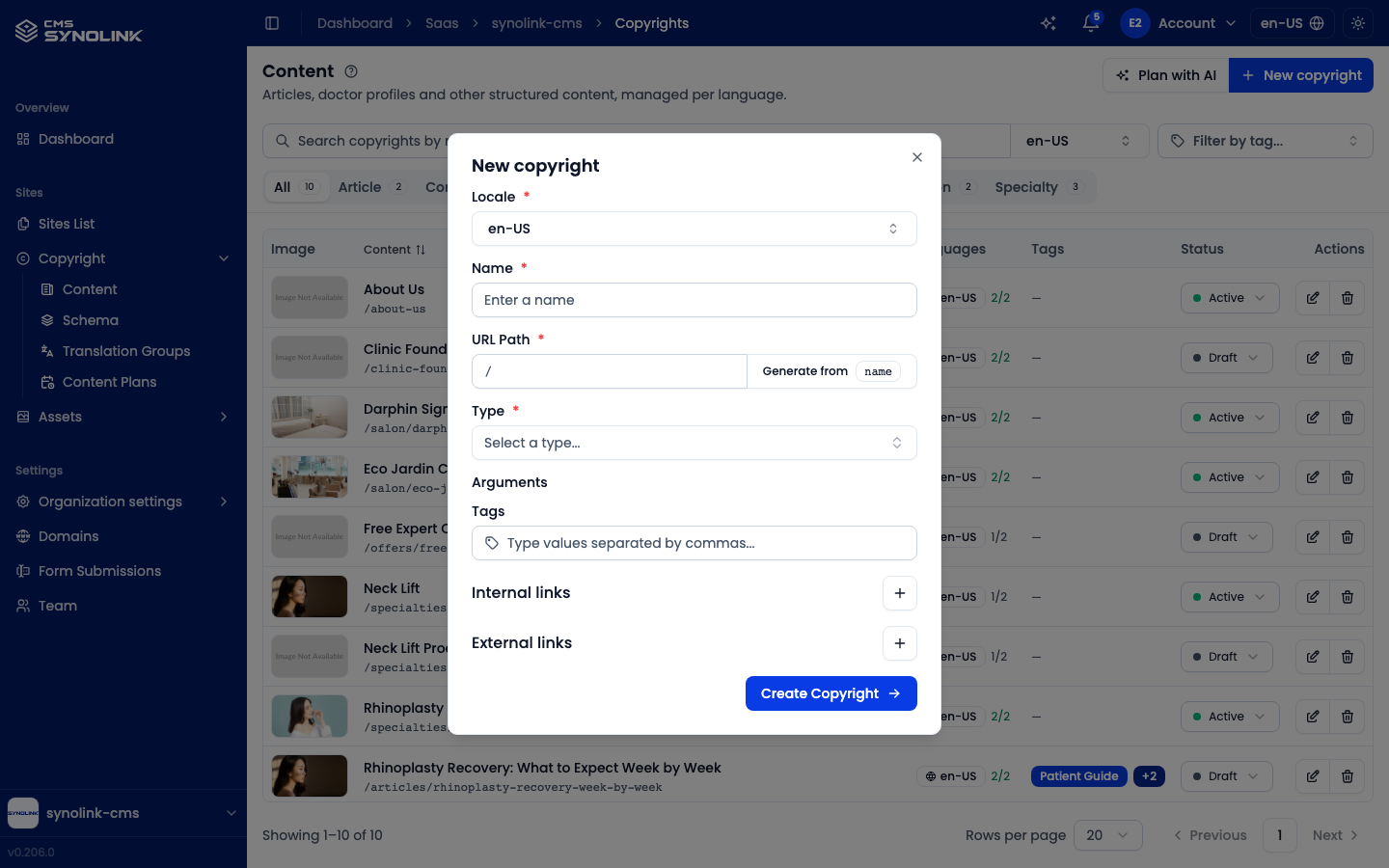
- Click New copyright (top right). If you're on a type tab, that type is already selected.
- Pick the Locale for this version.
- Enter a Name — existing names are suggested as you type.
- Set the URL Path, or click Generate from name to create it from the name.
- Choose a Type from Select a type… (for news and announcements, pick Article if your workspace has it).
- Fill in any Arguments — the extra fields the chosen type defines (empty if the type has none).
- Optionally add Tags (comma-separated) and Internal links / External links with the + buttons.
- Click Create Copyright.
The new item is created with its own translation group, so languages you add later stay linked to it.
Editing content
Open an item with the ✎ action to reach its detail screen. It has six tabs — Details, Arguments, Content, Media Assets, Links, and Translation Group — plus, at the top right, a locale selector, the Status dropdown, Revalidate, and Version History. Details, Arguments, Media Assets and Links each show one titled card with a save bar at the bottom. Each tab saves separately, so save the tab you're working on before switching.
Picking a different locale in the selector opens that language version. If it doesn't exist yet, a translation dialog opens so you can create it.
Details tab
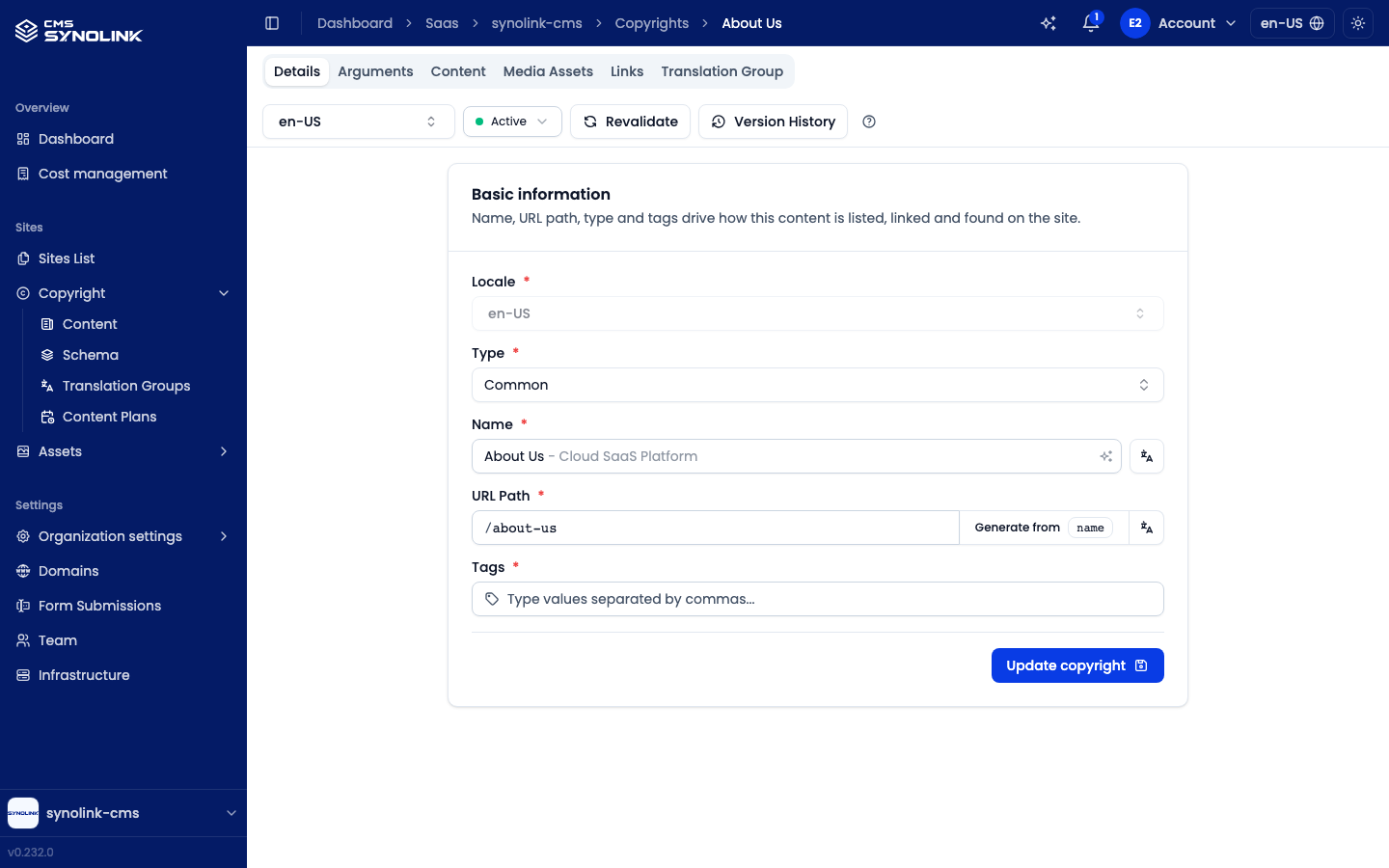
The Basic information card holds what your site uses to list, link and search for this item.
| Field | What it's for |
|---|---|
| Locale | The language version you're editing (read-only) |
| Type | The item's schema |
| Name | The display name — AI suggests a continuation as you type |
| URL Path | The page path, with Generate from name |
| Tags | Comma-separated tags for grouping |
Name and URL Path each have a small translate button beside them. Click Update copyright to save.
Arguments tab
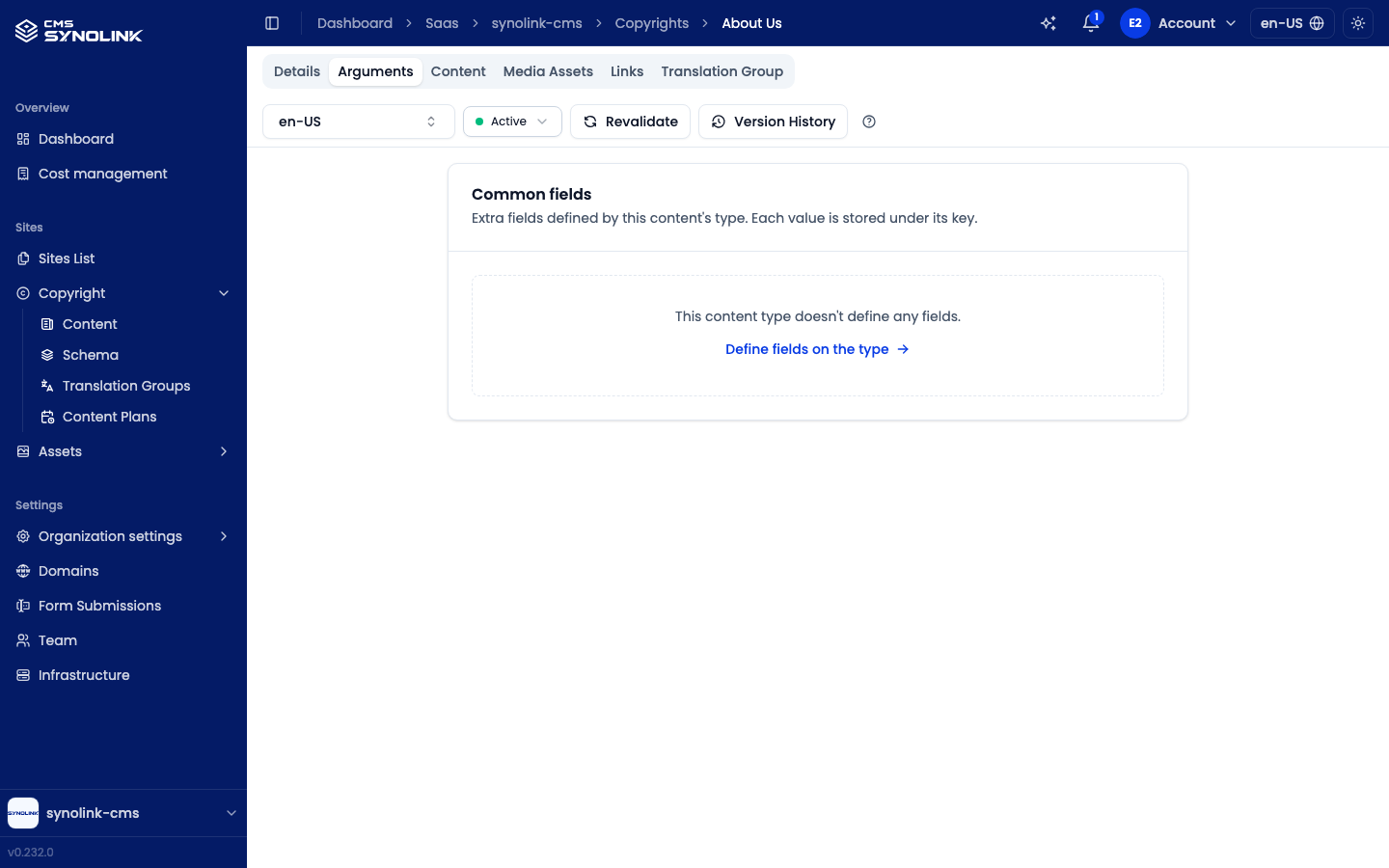
The Arguments tab's {type} fields card shows the fields defined by the item's type (schema) — for example the extra details a profile needs. Sites read these values to render the page. If the type defines none, you see an empty state with a Define fields on the type link. Click Update copyright to save.
Content tab
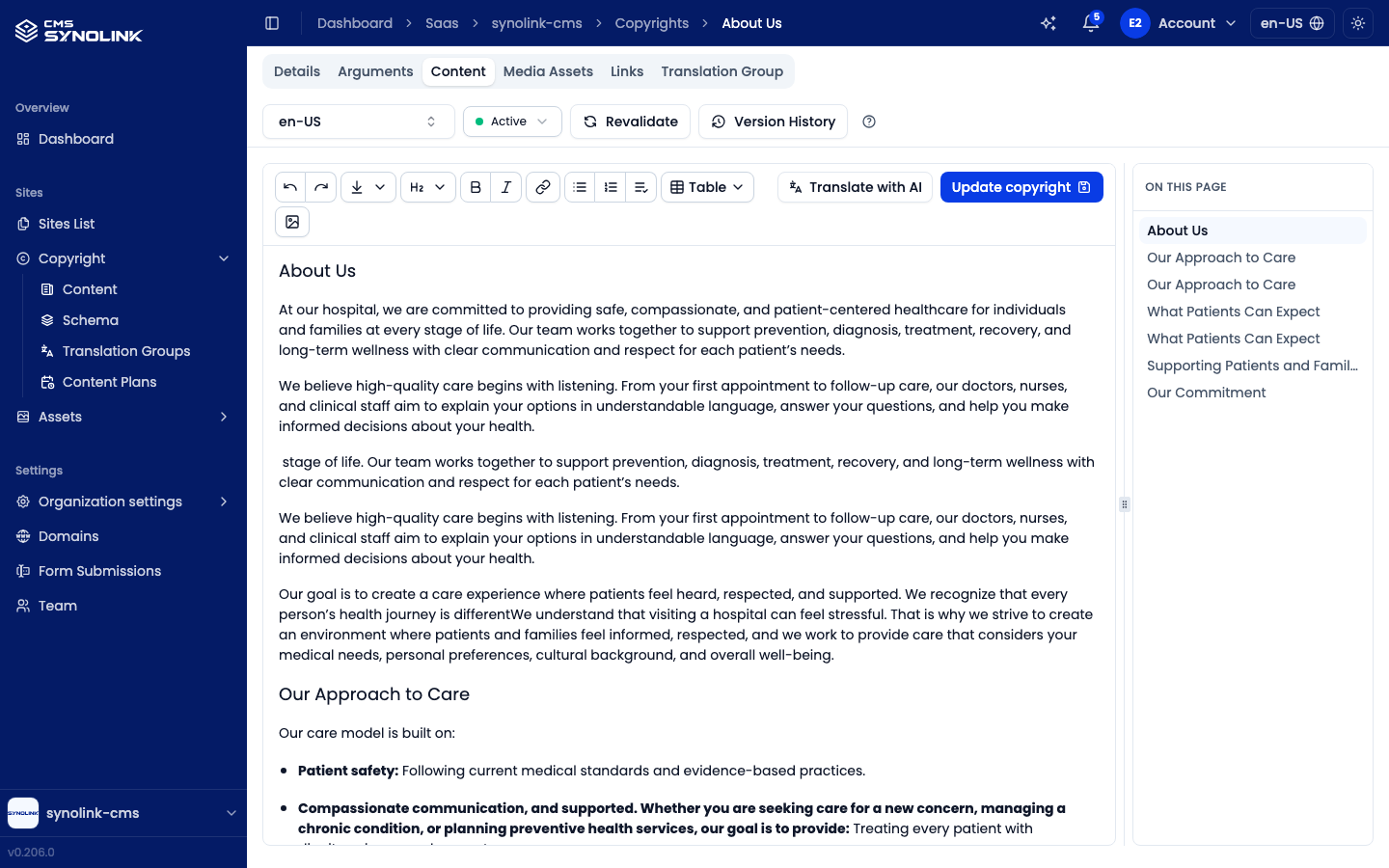
The Content tab is where you write the body in a rich-text editor. The toolbar covers undo/redo, headings, bold, italic, links, lists, Table, and images, followed by Translate with AI and Update copyright. The editor scrolls on its own, with the toolbar pinned at the top.
- To have AI write for you, type
/in the editor and choose Ask AI. - When you save, any new links found in the body are added to the Links tab automatically.
- On this page — a table of contents beside the editor lists the body's headings. Click one to jump to it; the heading you're reading is highlighted. Drag the divider to resize it. With no headings yet it shows Add headings to build a table of contents. It's hidden on phones.
Media Assets tab
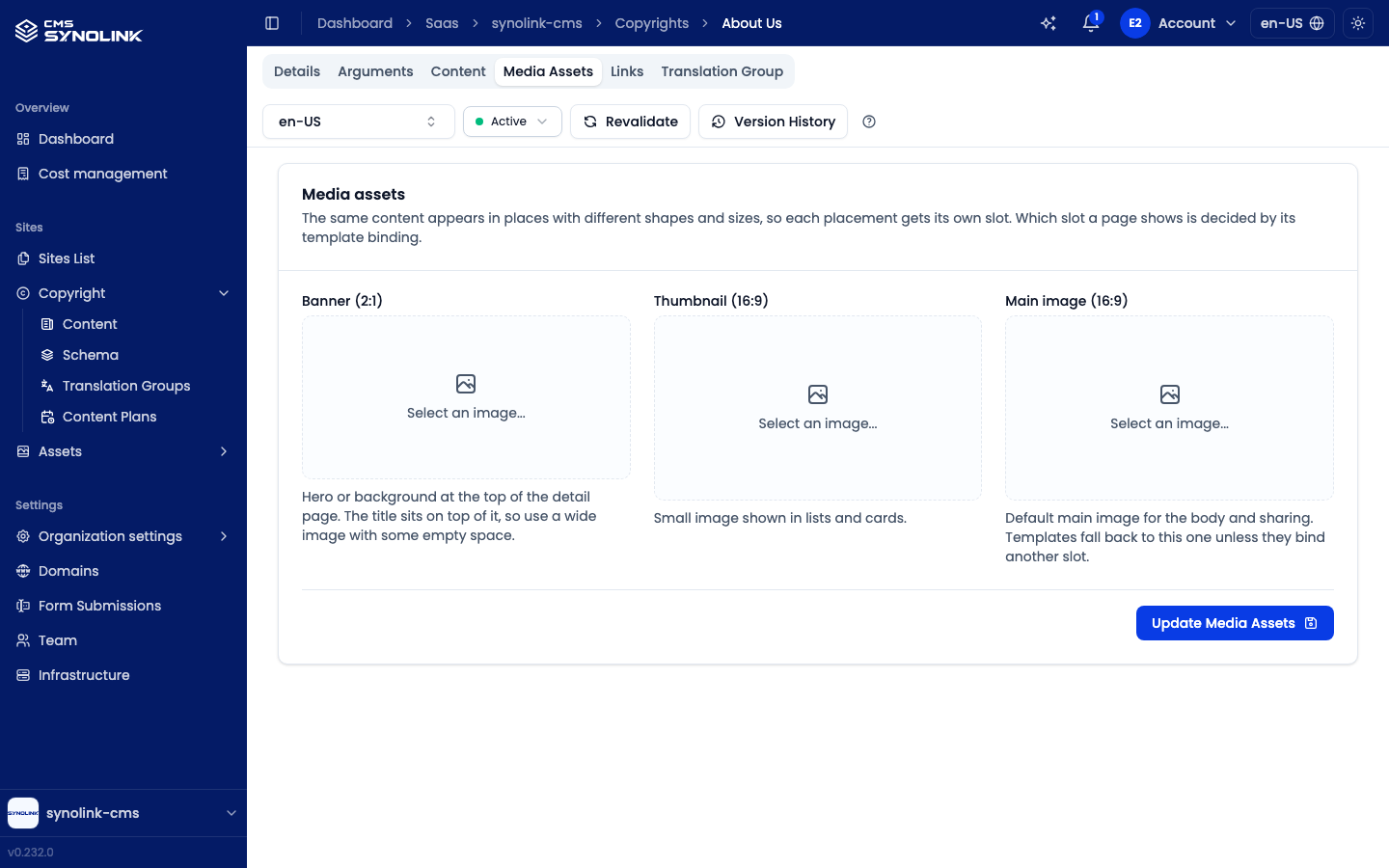
The Media Assets tab sets the images shown on the site. The same content appears in places with different shapes and sizes, so each placement gets its own slot; the three slots are shown side by side at their real aspect ratios. Which slot a page shows is decided by its template binding.
| Slot | Typical use |
|---|---|
| Banner (2:1) | Hero or background at the top of the detail page. The title sits on top of it, so use a wide image with some empty space |
| Thumbnail (16:9) | Small image shown in lists and cards |
| Main image (16:9) | Default main image for the body and sharing. Templates fall back to this one unless they bind another slot |
- Click Select an image… on an empty slot (or the image itself) to open the Assets picker.
- After picking an image for a slot, click Use in all slots to put the same image in the other slots too — handy when one image is enough.
Click Update Media Assets to save; nothing changes until you do.
Links tab
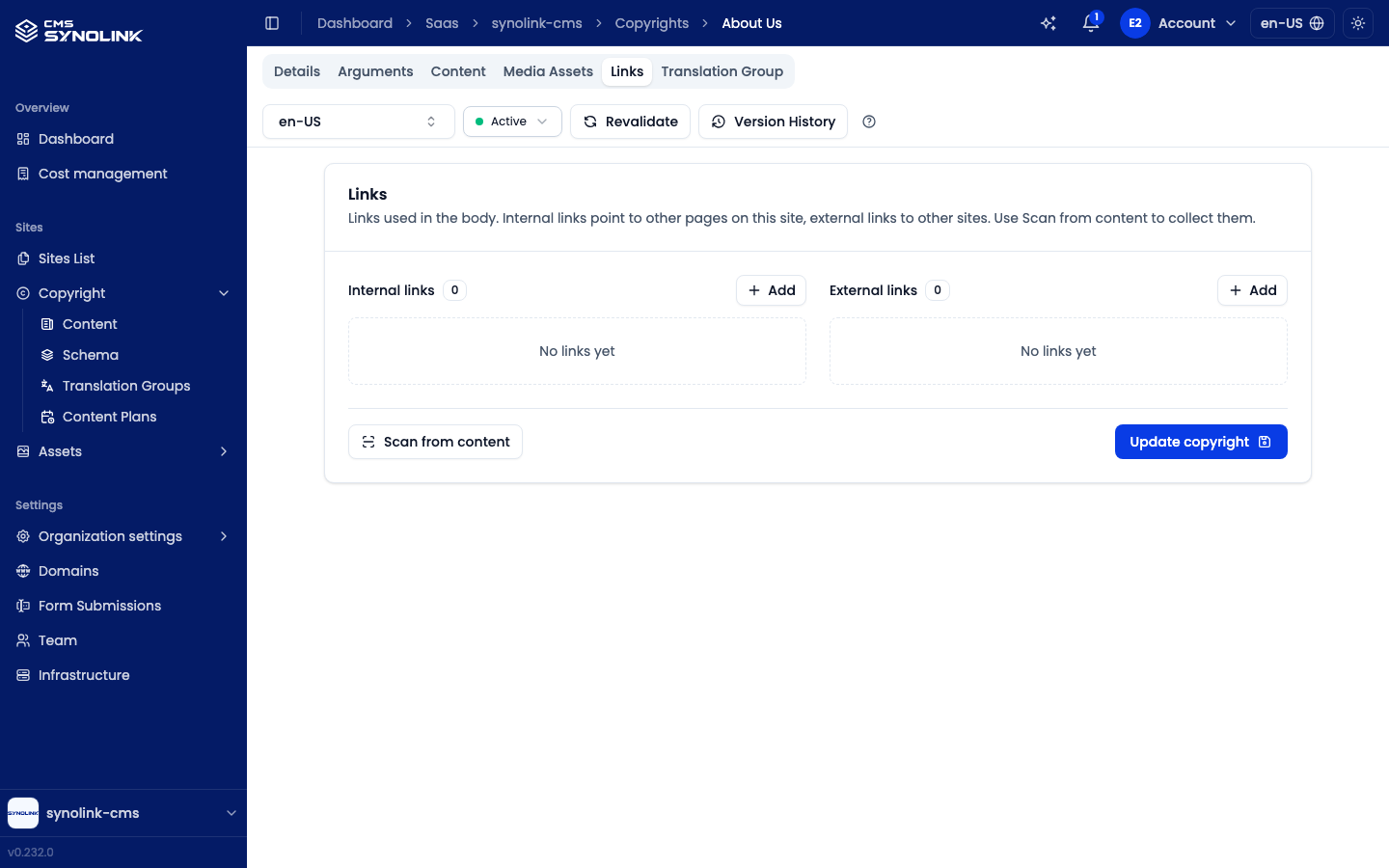
The Links tab lists the pages this item links to — Internal links (URL paths on your site) and External links. Add entries with Add, or click Scan from content to pull the links out of the body. Scanning only fills the form; click Update copyright to save.
Translation Group tab
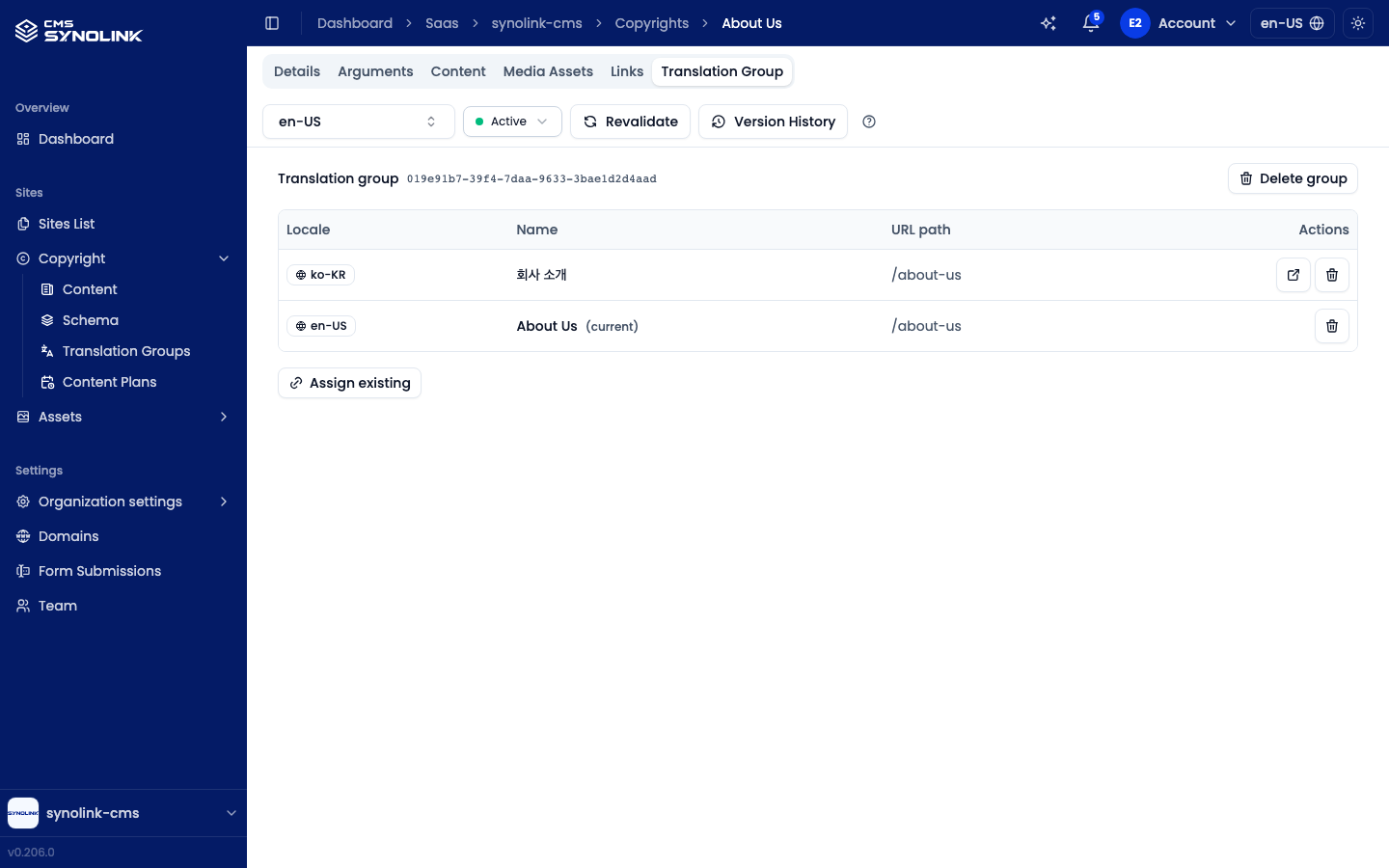
The Translation Group tab lists every language version linked to this item, with Locale, Name, URL path, and Actions columns. The current item is marked (current).
- Open (↗) jumps to another language version; the trash button removes a version from the group (the item itself isn't deleted).
- Add translation — pick a missing locale and create that version. It appears only while some locales are missing.
- Assign existing — link an existing item in another locale to this group.
- Delete group — remove the grouping (the items themselves aren't deleted).
If the item isn't in a group yet, click Create translation group.
Revalidating the live page
Published pages are cached. After you save a change, click Revalidate so visitors see it right away. In the Revalidate copyright page dialog:
- Check the Target path.
- Under Domains, choose the site domains to refresh (search, or tick All domains).
- Tick Also refresh the sitemap (use when the URL path changed) if you changed the URL path.
- Click Revalidate.
Version history
Each save keeps the previous state as a version. Click Version History (top right) to open the Version history panel.
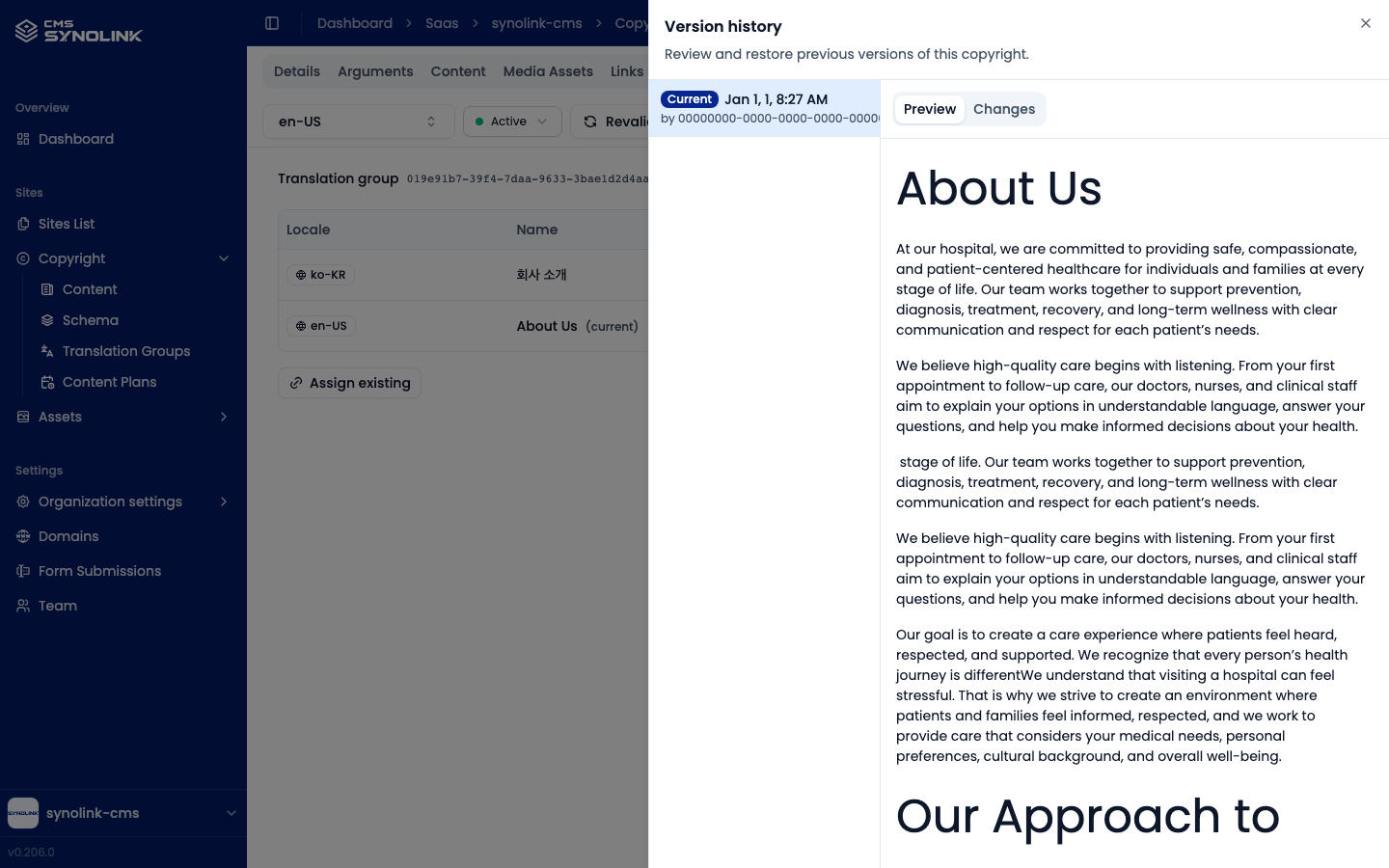
The list on the left runs newest → oldest. The top entry, marked Current, is the saved version, and each row shows the save time and author. Select a version to see it on the right, using the Preview and Changes tabs.
Preview
Preview shows the selected version's body, read-only, exactly as it was saved.
Changes
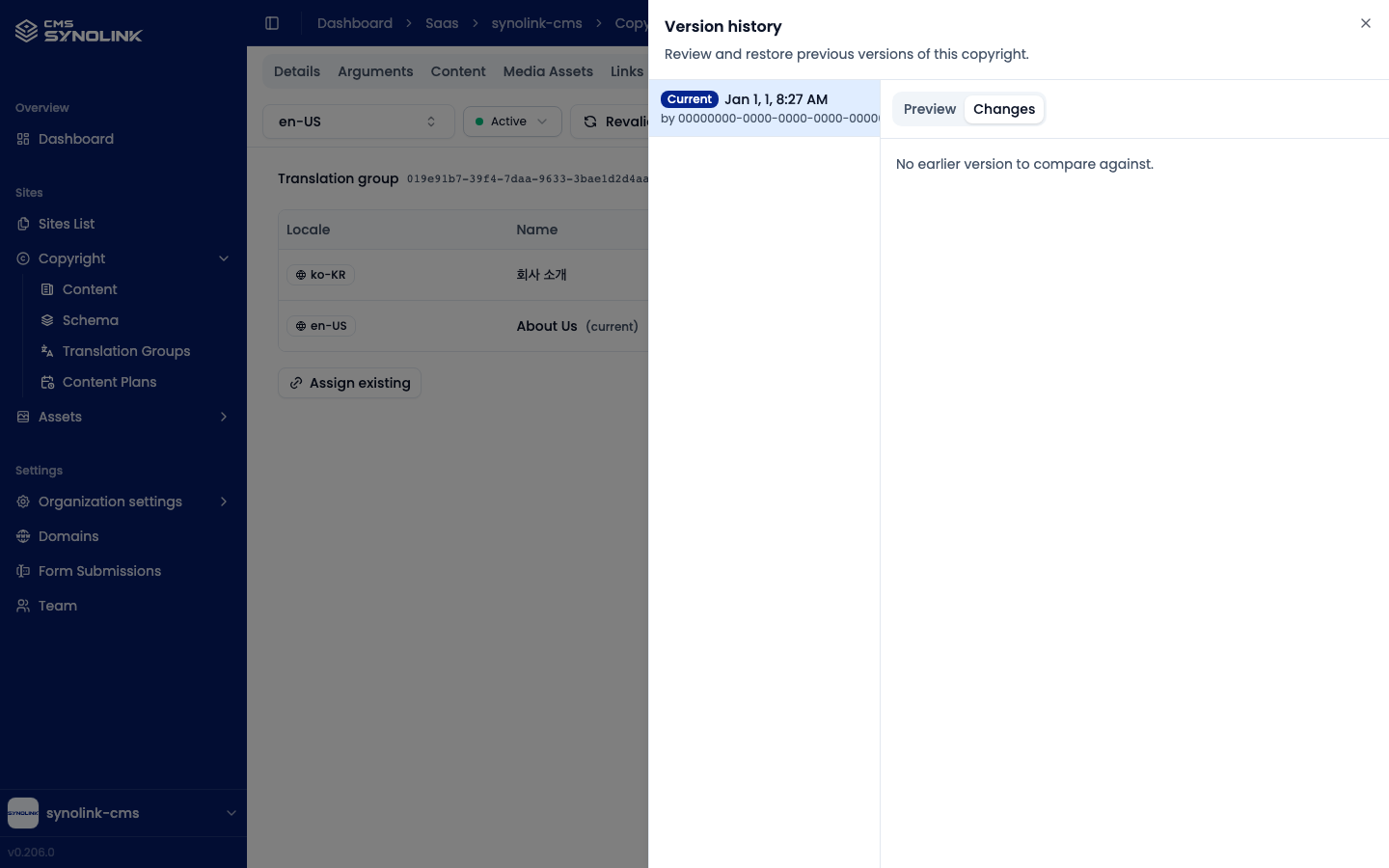
Changes compares the selected version with the one before it and highlights the differences word by word: added text in green, removed text in red with a strikethrough. The oldest version has nothing to compare against, so it shows No earlier version to compare against.
Restoring a version
Select a past version and click Restore this version, then confirm. This overwrites the current item with that snapshot: name, type, body, URL path, tags, and the image, thumbnail, and banner assets. The Current entry itself can't be restored. Restoring requires edit permission (copyrights:write); anyone can view and compare versions.
Translating content
If you run multiple languages, you can offer the same content in each one.
Add a missing language
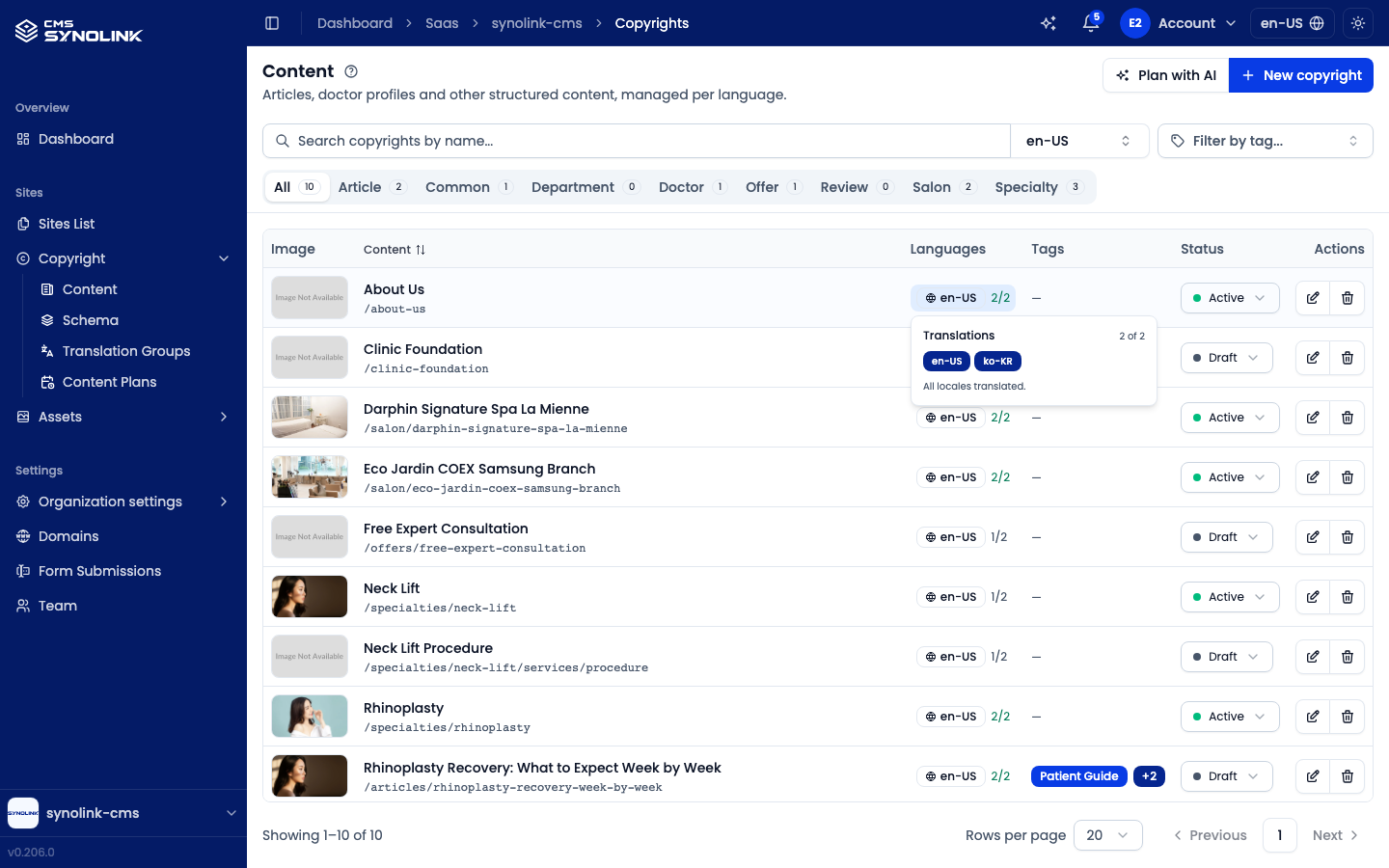
In the Languages column, click the locale chip to open the Translations popover. Locales that already exist appear as filled badges and missing ones as dashed + {locale} buttons. Click a dashed locale to start a translation of that item. The new version joins the same translation group.
You can also add a language from the detail screen's locale selector or with Add translation on the Translation Group tab.
Translate with AI
You can have AI draft a translation instead of typing it yourself:
- On the Content tab, click Translate with AI to translate the whole body (Translate content dialog).
- On the Details tab, click the translate button beside Name or URL Path (Translate field dialog).
Both dialogs work the same way — there's no prompt to choose:
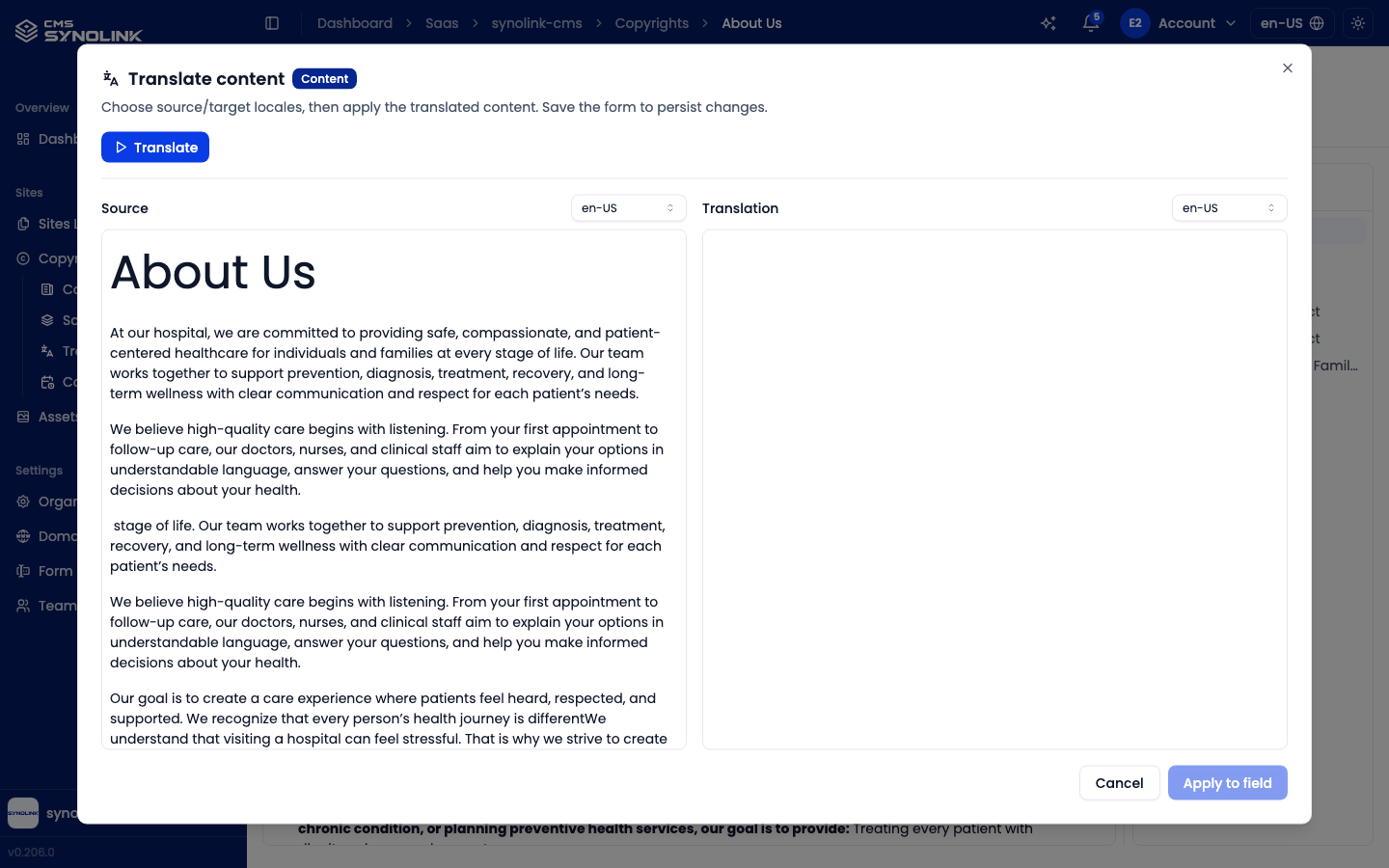
- Set the Source locale (translate from) and the Translation locale (translate to) with the selectors above each panel.
- Click Translate (top left). The AI draft appears in the Translation panel, where you can still edit it.
- Review it, then click Apply to field.
- Save the tab (Update copyright) to keep the change.
The AI output is a draft — always review it before saving.
Plan with AI
Plan with AI (on the Content list) opens the AI content planner. It proposes the content schemas and entries your site plan needs.
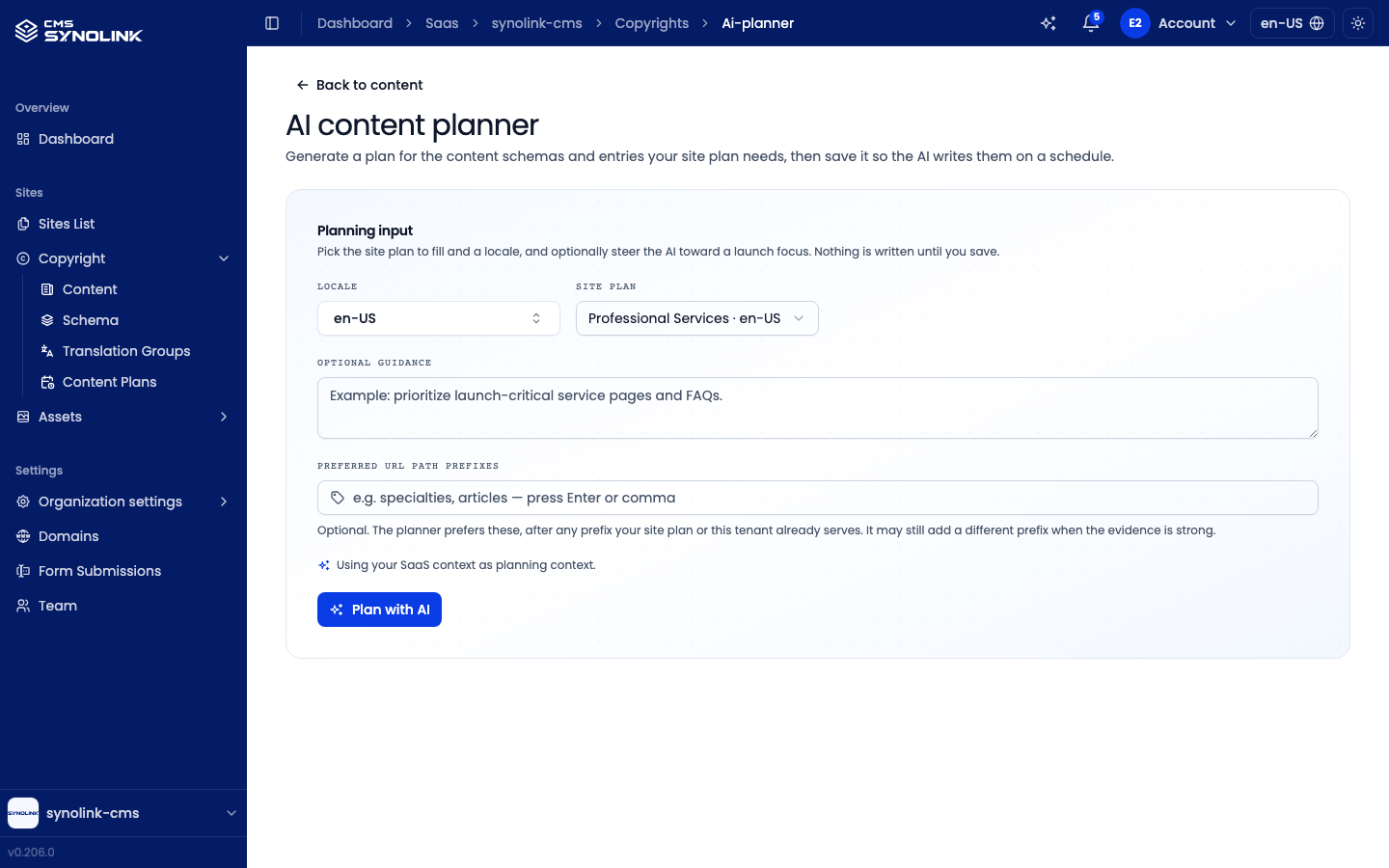
- Under Planning input, choose the Locale and Site plan.
- Optionally add Optional guidance and Preferred URL path prefixes.
- Click Plan with AI, then review the plan (schemas, entries, and any gaps to fill).
- Click Save as content plan to save it as a content plan — see Content Plans for saving, writing, and approving the entries.
Nothing is written until you save. The planner needs your organization's context and a site plan; if either is missing, it links you to the place to create it.
Content plans
Sites → Copyright → Content Plans lists the plans you saved from the planner. The AI drafts each entry at its scheduled time — or right away when you start it — and every draft waits for your approval before it becomes a content item. See Content Plans for the full guide.
Schema
Sites → Copyright → Schema lists your workspace's content types. The Arguments column shows how many fields each one defines. These schemas are the Type options when you create content, and they drive the type tabs on the Content list.
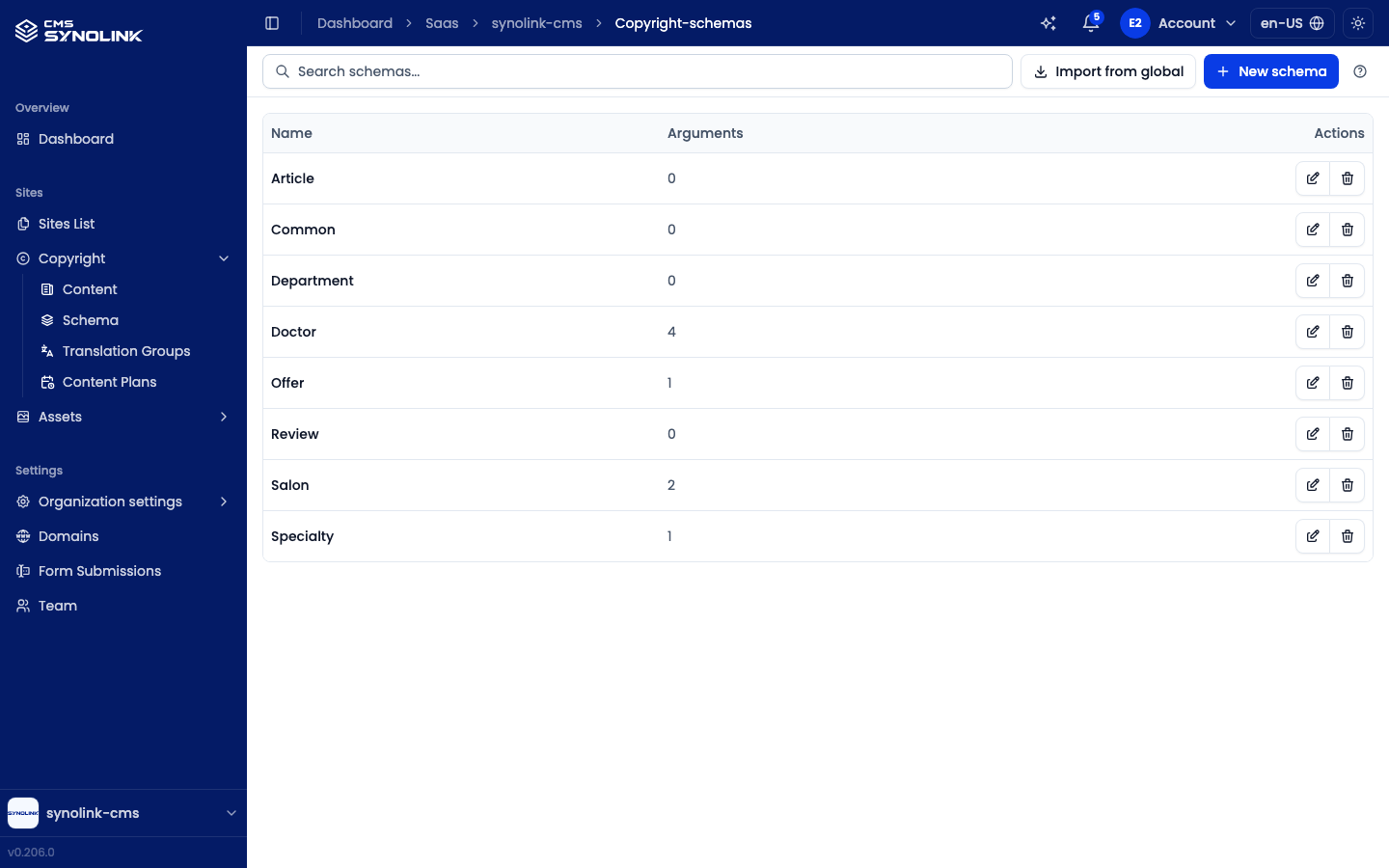
- New schema — create a content type.
- Import from global — copy a ready-made schema from your workspace's industry profile (domain schema). The copy is one-time; later changes to the original don't sync.
- ✎ — open a schema to rename it and manage its Arguments (Key, Label, Required, Default) with Add argument. A change applies to every item that uses the schema.
- 🗑 — delete a schema. Items that use it lose their schema reference.
Translation groups
Every content item belongs to a translation group that links its language versions. Sites → Copyright → Translation Groups lists them all, showing each group's Status (e.g. 2 members or Empty), Locales, and Group ID.
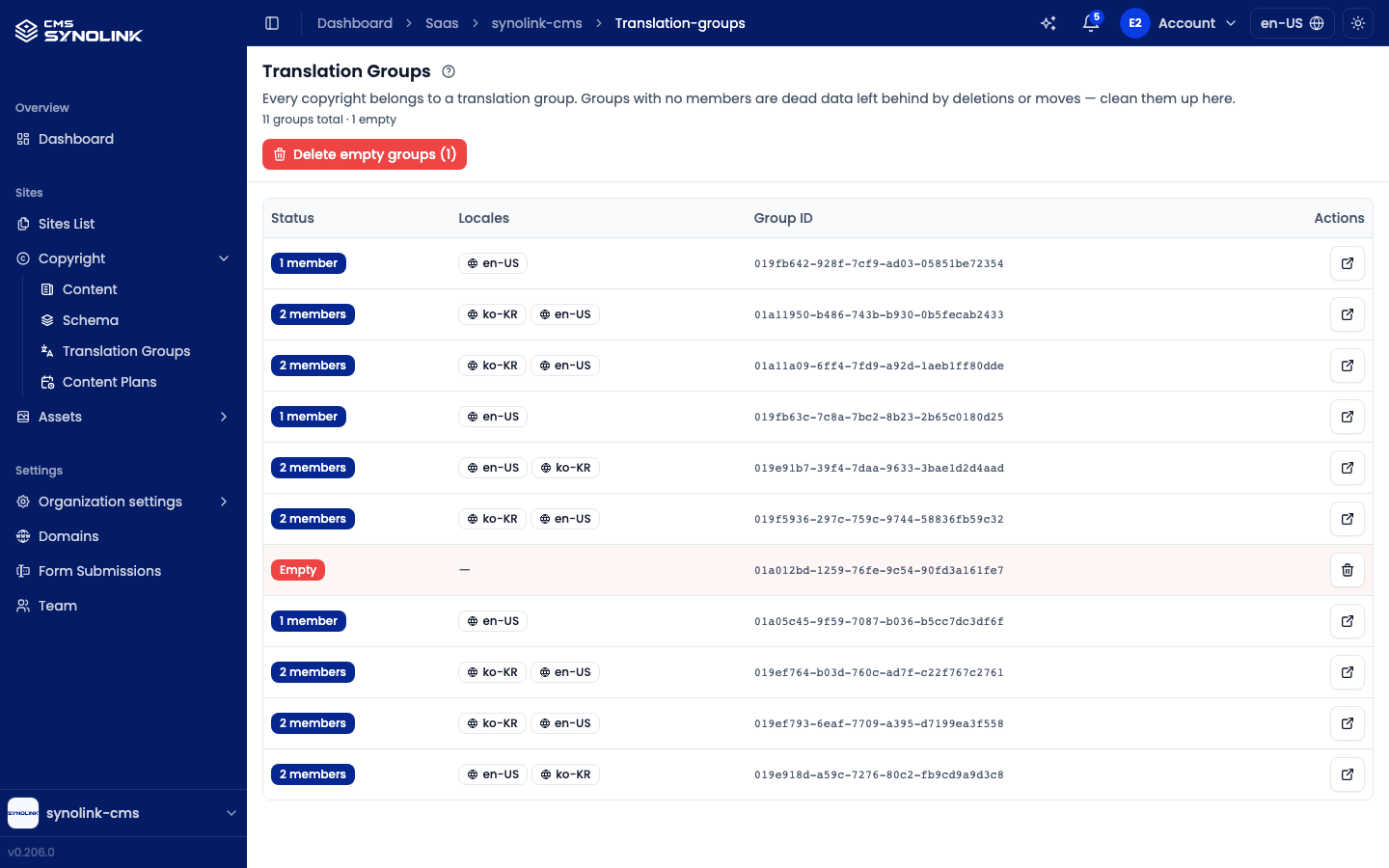
Groups with no members are leftovers from deletions or moves. Remove them one by one with the trash button, or all at once with Delete empty groups ({n}). Deleting an empty group doesn't affect any content.
Showing on the site
Content can be bound to list and detail areas in the Page Editor, where it's displayed automatically, so a newly published article appears in the linked list. Images come from your Assets library. If a published change doesn't show yet, use Revalidate on the detail screen.