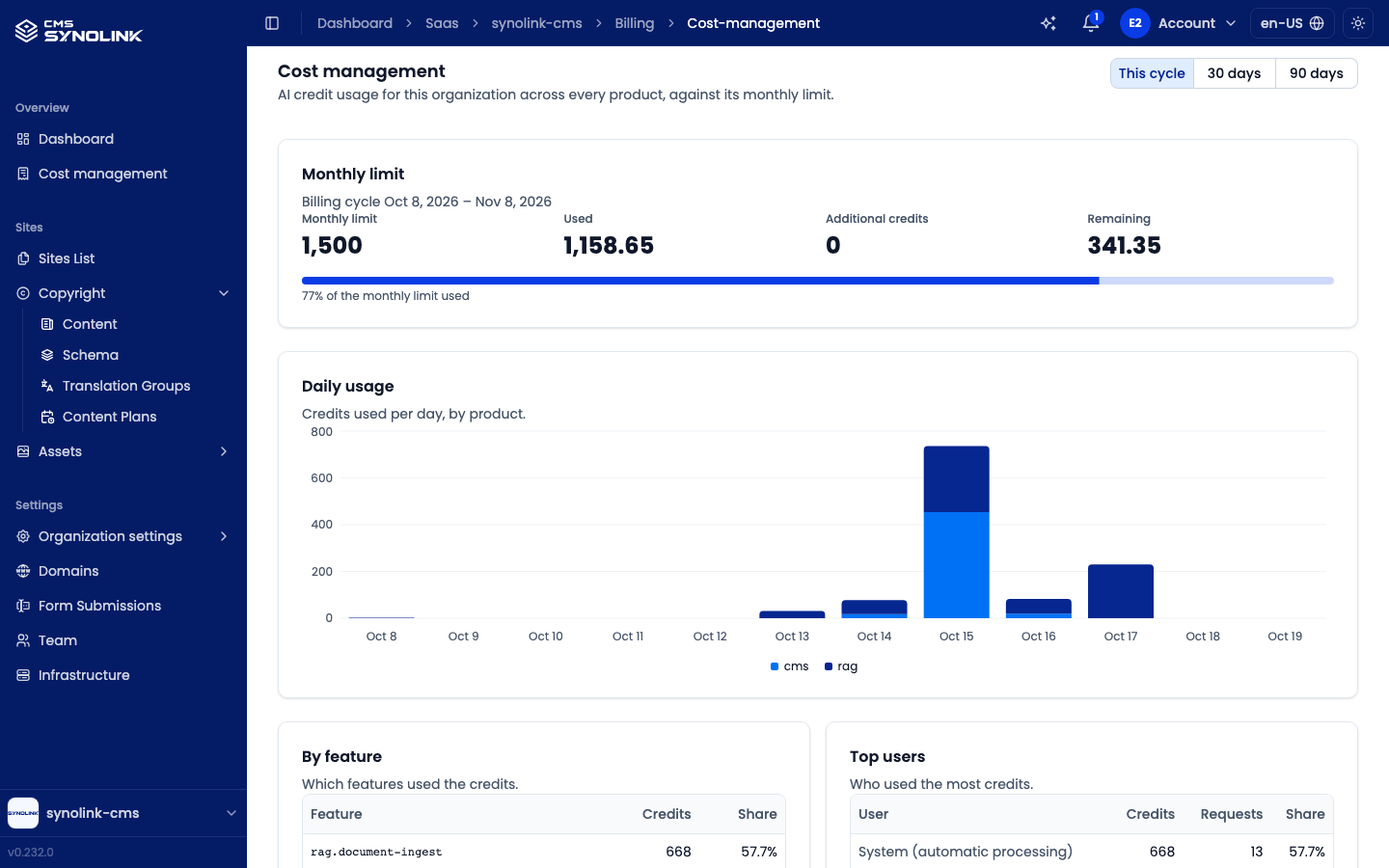
Features that use AI — the AI site builder, content generation, translation, the Dashboard Assistant and so on — spend AI credits. Open Overview → Cost management in the left sidebar to see the credits this workspace used across every product, against its monthly limit.
Cost management is shown to Admin and above only. See Managing Your Team for roles.
Choosing a period
Pick the period at the top right: This cycle (the current billing cycle), 30 days, or 90 days. The charts and tables below all follow it.
What's on the screen
| Section | What it shows |
|---|---|
| Monthly limit | The billing cycle, the Monthly limit, Used, Additional credits and Remaining credits, and a bar of how much of the monthly limit is used |
| Daily usage | A chart of credits used per day, by product |
| By feature | Which features used the credits — Feature, Credits, Share |
| Top users | Who used the most credits — User, Credits, Requests, Share. Automatic processing not tied to a particular user shows as System (automatic processing) |
If the workspace isn't linked to a billing account yet, you see This organization isn't linked to a billing account yet, so there is no usage to show.